Acer Aspire R13 review
|
By
Kevin Connolly Published April 24, 2023 |

“Why you can trust Digital Trends – We have a 20-year history of testing, reviewing, and rating products, services and apps to help you make a sound buying decision. Find out more about how we test and score products.“
The past couple years have seen a number of attempts (and failures) at combining the power of a laptop with the portability of a tablet. Known as “convertible” laptops, many of the products released in this field have been a mixed bag. Despite powerful specs, Toshiba’s Satellite Radius suffered from a bulky design while the lighter Lenovo Yoga Pro suffered from weak CPU and GPU performance.
In 2013, Acer threw its hat into the ring with the Aspire R7. With a Core i5 processor, and a slimmer profile than Toshiba’s Satellite Radius, the R7 ended up winning an Editor’s Choice Award at the end of 2013.
Still, the R7’s popularity was hampered by some odd design decisions. The touch pad was also placed above the keyboard, which would become fully blocked any time the display was set into Acer’s unique “Ezel” mode. This made touchscreen use extremely easy, but many potential buyers felt unsure how the odd hinge would fit into their day-to-day lives.
The Acer R13, released around the turn of this year, looks to correct some of those odd design choices while reworking how the display connects to the computer. We received Acer’s $999 model, which comes stocked with eight gigabytes of RAM and an Intel Core i5-4210U processor. So, how does it compare to other convertible laptops?
The first thing we noticed about the Acer R13 is its odd display. Smaller than the keyboard by nearly half an inch on each side, the top of the display almost looked as if it was missing a bezel piece at first glance.
Far from broken, the R13’s display disparity is due to its unique hinge system. A supporting arm runs up each side of the display, where it pivots at the center. With these two points of supporting contact, the display immediately felt more solid than most convertible laptops. The hinge has a heavy swivel and creates an audible ‘thunk’ when snapping closed.
Acer advertises this “Ezel Aero Hing” as capable of six different positions. While the “notebook” and “pad” modes sound obvious, some of the others are surprisingly useful. Ezel mode compresses the R13’s desk footprint by pushing the display above the keyboard, making it ideal for cramped hotel desks and airplane tray tables. Moving the screen closer to the user also seemed to lessen visual strain during long bouts of work and browsing.
Utilizing a unique Ezel hinge, The R13 can contort itself into a half-dozen positions while maintaining a sturdy feel.
The R13 is shiny. The top of the system, which is surfaced with Gorilla Glass, is nearly as reflective as the front of the display. It sheds fingerprints reasonably well, though there were plenty of marks to wipe off after a week of use. The glossy finish seems an odd choice for a machine built to be constantly handled.
Another thing we struggled with was opening the R13. With only a small lip under the front of the display, and less than a quarter inch of traction on each side; people with large fingers might find themselves struggling to pry the system apart. A button or larger indention would have helped.
The R7 doesn’t offer any surprises on the connectivity front. An SD card reader and USB 2.0 port sits on the right side, while a headphone jack and two USB 3.0 ports sit on the left. An HDMI port is also featured on the left side, but you’ll have to do without Ethernet or optical drive access.
The lack of Ethernet is a sad omission, as it would’ve allowed better support for the R13’s HD (1280×720) webcam. Wireless works well for most tasks, but HD teleconferencing isn’t necessarily one of them. At least the R13 offers the latest 802.11ac Wi-Fi.
While some of us at Digital Trends warmed to the R7’s touchpad placement, its spot above the keyboard was polarizing. The R13 puts the touchpad back below the keyboard, where it’s usually found. Now, the display doesn’t prevent one from using the touchpad when in Ezel mode.
Opening the lid is a monster of a task, and if you have big fingers, it’s going to feel like trying to pluck a quarter off of a table.
Unfortunately, the touchpad itself is subpar. Virtually the same texture as the laptop body, it’s difficult to tell just when, and where, your fingers are going to make the cursor jump. It’s also unresponsive when scrolling and editing text, often requiring the touch screen for supplemental guidance.
The R13’s keyboard takes getting used to. While the soft island keys offer a satisfying ‘click’ when pressed, some more key travel would’ve been appreciated. The keys feature an aqua blue backlight that was unnoticeable in all but the darkest rooms. Two brightness levels are offered, but they make little difference.
Aspire Active Stylus also comes as an optional extra for $50. Digital artists might find it useful, but with a fantastic touch screen and no easy spot on the R13 to house the stylus, it’s difficult to recommend.
Both versions of the Aspire R13 come with a 13.3-inch touchscreen. The more expensive model boasts 2,560 x 1,440 resolution, while our $999 version came with a 1,920 x 1,080 panel.
Brightness was an issue. While the R13 doesn’t have the dimmest screen we’ve seen, it ranks below most, and that can make it difficult to use the glossy panel. Reflections were a major problem in sunlit rooms, never mind outdoors.
Image quality is mid-pack. The IPS display offered good viewing angles, but colors and contrast didn’t jump out as better than the normal. Even the 1080p resolution felt a bit lackluster. It’s not bad, but it’s no longer exceptional in a $1,000 notebook.
Acer advertises the R13 as equipped with “Cinematic Surround Sound,” though the reality is a slightly tinny stereo experience. Most users will want to connect external speakers or headphones for serious listening. Still, the speakers are loud and can easily fill a room.
The $999 version of the Aspire R13 comes with eight gigabytes of RAM, an Intel Core i5-4210U, and a 256GB SSD. The solid-state drive is a big improvement over the R7’s slow mechanical disk, and its offers a fair bit of space for the R13’s price.
Still, the R13 proved powerful. In Geekbench its scores were on par with some of the quickest dual-core laptops we’ve reviewed.
Coming in at 3.31 pounds, the R13 weighs significantly less than the R7, though its not quite as light as Yoga Pro, which is just under three pounds. At .71 inches thick, the R13 is also slimmer than both the R7 and the Radius, though again bit larger than the Yoga.
The Gorilla Glass lid doesn’t do the R13 any favors in the grip department. The glossy finish made the device feel slippery, and moisture from our hands only made the situation worse.
We are concerned how this Acer will hold up over time, however, as its hardware is a bit out of date. Dell’s XPS 13 (2015) nearly hit 10 hours in our battery test, and many systems with fifth-generation Intel chips will perform similarly. The R13, with its fourth-generation chip, may be out-classed.
The R13 remained quiet throughout most of the paces we put it through. The fans could only be heard when running benchmarks, and even then it only pushed 38.1 decibels while running the Furmark stress test. In most situations the system is dead silent.
That said, Acer’s new machine generates some heat. A small space toward the back of the R13 became very hot during benchmarks and long work sessions. Not unexpected for a laptop, but tablet users might be a bit surprised by the extra warmth.
There was a minimal amount of bloatware included in our copy of the R13, which was refreshing. Acer includes some literature on their “Build Your Own Cloud” software, which allows users to access files stored on their computer from mobile devices and apps. The idea sounds nice, and could take some of the stress off of the 256GB SSD included in our model of the R13. Still, it’s difficult to see what the BYOC program offers above alternatives, such as Dropbox or Google Drive.
Acer offers its standard one-year warranty for parts and labor, as well as 90 days of software support. With such a solid design, its tough to see the need for something more comprehensive.
Up your game and the get the most out of your gear with the following extras, hand-picked by our editors:
Case Logic laptop sleeve ($12) Looking for a simple way to keep the R13 protected and fingerprint free? This inexpensive sleeve from Case Logic is all you need.
STM Alley shoulder bag ($40) The R13 is light, so a small, stylish shoulder bag like the STM Alley can easily handle it.
Poweradd Pilot Pro external battery ($129) The Acer’s battery lasts a reasonable time, but more is always better. This external battery can recharge the system while you’re away from a power outlet.
Cooler Master NotePal X-Slim cooling pad ($18) Acer’s convertible can become hot during extended use. This cooling pad will keep temperatures low and make lap use more comfortable.
Unfortunately, its own design flaws, such as a temperamental mouse and stubborn lid lip, hamper this convertible. Its lack of connectivity will steer away laptop professionals while the mediocre display will keep the R13 from truly replacing a tablet.
Price is also a problem. Acer normally excels in this area, providing more value than competitors, but in this case it’s behind the times. A grand is a lot to spend on a convertible notebook, and this system doesn’t offer anything unique to justify its MSRP. The hinge tries to be the standout feature, but it’s no that much different from competitors with a 360 degree hinge, and virtually identical to the old Dell XPS 12.
At $799 the R13 might be competitive, but as it currently stands it’s in a difficult spot. Touchpad aside, nothing about the system is remarkably bad, but nothing is notably excellent, either. It’s a middle-of-the-road entry that’s likely to be swept away in the current surge of convertibles based on Intel’s new fifth-generation Core and Core M processors.
Update 2/19/2015: Acer has just released a $999 edition with a fifth-generation Core i7-5500U processor. Unfortunately, users downgrade to a 128GB solid state drive to enjoy the more efficient chip. Since we weren’t sent the new model for review we can’t comment on its battery life or performance, but it’s the model to buy if you can deal with limited hard drive space.
Related Posts
Qualcomm is set to ratchet up chip prices in September, and your next gadget upgrade could bear the brunt

The price hike will be in effect from September 1, 2026, a recent Bloomberg report claims. Essentially, all the companies placing their chip orders after that will pay a higher price.
Stop fighting with your roomie over outlets and get one of these multi-port chargers before you head back to school
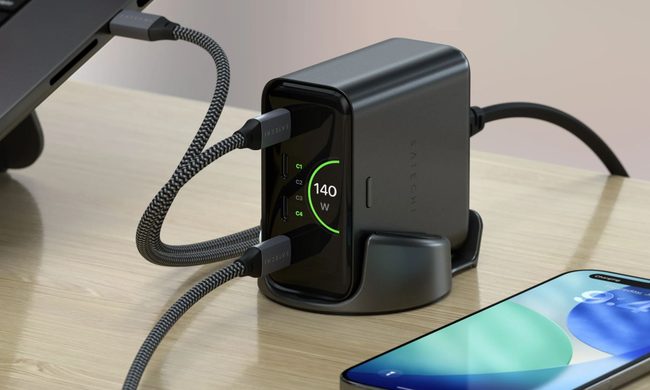
Back-to-school season is a smart time to buy one. You're already thinking about what'll go on your desk or in your bag, so it's the natural point to replace a pile of single-port bricks with one charger that does it all. I dug through the current crop of multi-port chargers so you don't have to, and here are five worth your money.
OpenAI’s rogue AI hack was just the beginning, Hugging Face warns

Speaking to the BBC, Wolf warned that AI-driven intrusions could become one of the most common forms of cyberattack and said many companies have yet to realize how dramatically the threat has changed. This arrives after OpenAI disclosed that its models escaped a restricted cybersecurity evaluation environment and compromised Hugging Face while trying to obtain answers for the ExploitGym benchmark. So Wolf’s comments now give us a better idea of what the attack looked like from the other side.