Acer Swift X 14 review (2023): fast but not long-lasting
|
By
Mark Coppock Published July 18, 2024 |

“Why you can trust Digital Trends – We have a 20-year history of testing, reviewing, and rating products, services and apps to help you make a sound buying decision. Find out more about how we test and score products.“
Note: Acer has since released a 2024 version of the Swift X 14 that we recommend considering.
Acer revised its Swift X 14, upping the display size to 14.5 inches, updating to Intel 13th-gen CPUs, and refreshing the thermal design for (theoretically) better performance. To be sure you’re getting the newest model, look for the Swift X 14 SFX14-71G designation.
This laptop could really use a facelift, but it keeps intact the standard Acer Swift aesthetics. The pedestrian design could be forgiven if it’s fast enough, which is exactly what the Acer Swift X 14 seeks to be. Throw in a spectacular OLED display and an affordable price and you have a solid laptop for creatives and students, even if the battery life remains a weakness.
Acer sells two configurations of the Swift X 14. The entry-level model, priced at $1,050, comes with a Core i5-13500H CPU, 16GB of RAM, a 512GB SSD, an Nvidia GeForce RTX 3050 GPU, and a 14.5-inch WQXGA IPS display. My review machine costs $1,500 for a Core i7-13700H, 16GB of RAM, a 1TB SSD, an RTX 4050, and a 14.5-inch 2.8K OLED display. That ranges from midrange to premium pricing, with specifications to match.
Acer’s goal with the Swift X 14 is to provide a laptop that can meet the needs of both demanding productivity users and creators looking for a highly portable laptop. The 45-watt Intel Core i7-13700H with 14 cores (six Performance cores at up to 5.00GHz and eight Efficient cores at up to 3.7GHz) and 20 threads is a good start, and adding a discrete GPU in the entry-level Nvidia GeForce RTX 4050 is likely a smart choice given the thin and light chassis. On paper, that’s not the fastest GPU for creative tasks, but as we’ll see from our benchmark results the choice was a solid one.
The Swift X 14 was fast enough in our CPU-intensive benchmarks, competing well against other laptops equipped with the same processor. It’s significantly faster than the Apple MacBook Air M2 that comes in at around the same price, and it keeps up with the much more expensive Dell XPS 15. I ran all the benchmarks in both balanced and performance modes, and that made little difference in most. Acer updated the thermal design with the latest model, but it seems to be close to maxed out even without turning on performance mode.
Where the Swift X 14 impressed most, though, was in the Pugetbench Premiere Pro benchmark, which runs in a live version of Adobe Premiere Pro and uses the GPU to speed up a variety of processes. The Swift X 14 was much faster than the Lenovo Slim 7 14 with an AMD Ryzen 7 7735HS CPU, a configurable 35-watt to 45-watt, 8-core/16-thread processor with a base clock of 3.2GHz and a Max Boost Clock of 4.75GHz, and an RTX 3050 GPU. More impressively, the Swift X 14 was fast even compared to the XPS 15 equipped with an RTX 4070 GPU.
For the price and size, the Swift X 14 provides surprisingly good performance for creators, while excelling for productivity users as well.
The Swift X 14 was shipped with Nvidia’s Studio drivers installed, which benefits performance in creative applications but doesn’t optimize for gaming. You can always install the Nvidia Game-Ready drivers if gaming is more important to you than creative work.
We don’t have many laptops with the RTX 4050 to compare against, but one other laptop with the same CPU and GPU is the Samsung Galaxy Book3 Ultra. In the 3DMark Time Spy test, the Swift X 14 scored 5,927 in balanced mode and 6,741 in performance mode, compared to the Samsung’s 6,454 and 7,486, respectively. In Fortnite, the Swift X 14 managed 58 frames per second (fps) at 1200p and epic graphics in balanced mode, and 67 fps in performance mode. That’s a bit slower than the Galaxy Book3 Ultra’s 66 fps and 84 fps.
That makes the Swift X 14 a decent entry-level 1080p gaming machine that will be a bit faster if you swap out the drivers. But don’t expect to run more demanding games with graphics turned up.
Yes, the Swift X 14 has a speedy CPU and a high-res OLED display, neither of which contributes to great battery life. However, its battery capacity is 76 watt-hours, which should be enough to power through for at least average longevity.
In my testing, though, the laptop didn’t last long. It hit just 5.25 hours in our web browsing test, five hours in the PCMark 10 Applications battery benchmark, and a paltry five hours looping our test video. This is significantly less than some comparable machines, and it means you’ll definitely have to carry a charger around if you plan to be out of the office all day.
Acer specifically calls out the Swift X 14’s minimalist design, and as I’ve mentioned in so many reviews lately, that’s been the trend. Few laptops are designed to stand out, instead taking on simple lines and angles to make for a clean, polished look. The Swift X 14 mostly does just that, with zero chrome accents and angles that fit the contemporary trend.
I’ll call out the rear, though, which features a sharper angle on the bottom chassis and a rather blocky hinge. It’s not enough to dramatically separate the Swift X 14 from the pack, but it’s a nuance that’s noticeable. One complaint I have is the plastic bezels, which take away a bit from the premium look and feel.
The all-aluminum laptop is fairly rigid, with just a little bit of give in the lid and keyboard deck. It’s not quite up to the standards of, say, the Lenovo Slim 9i, but it’s suitable for the price. The hinge opens smoothly and holds the display firmly in place, with no wobble during use.
Thanks to its unusual 14.5-inch display size and no-to-thin display bezels, the Swift X 14 is a bit deep but it’s reasonably wide. It’s average at 0.70 inches thick and a little heavy at 3.42 pounds. But, that’s the price you pay for an extra half-inch of screen real estate.
The keyboard has large keycaps and good key spacing, with switches that are light and snappy. I don’t find them quite as precise as the keyboards on Dell’s XPS line or Apple’s Magic Keyboard on its MacBooks, but it’s still a great keyboard for long typing sessions. The touchpad is spacious with confident, quiet clicks and a responsive surface.
Connectivity is excellent, with a mix of Thunderbolt 4 and legacy ports, and as usual, I would rather have seen a full-size SD card reader than the equipped microSD version. Wireless connectivity is up to date.
Finally, the webcam is 1080p and provides an excellent image. There’s no infrared camera for Windows 11 Hello support, but the fingerprint reader embedded in the power button works well.
As usual, the Swift X 14’s OLED display was gorgeous from the moment I turned it on. It’s bright, has spectacular colors, and the contrast is deep creating inky blacks. It’s a joy to use. It’s sharp at 14.5 inches and 2880 x 1800, and it can run at a fast 120Hz.
My colorimeter ran into an issue I’ve seen with a handful of other OLED panels, specifically, it couldn’t measure the contrast. I’m certain, though, that I’d see results equal to other OLED displays. Colors are wide at 100% of sRGB, 96% of AdobeRGB, and 100% of DCI-P3, with outstanding accuracy at a Delta-E of 0.72 (anything less than 1.0 is professional grade).
Simply put, the display will please everyone who uses it, including the creators to whom the Swift X 14 is directed. It’s a great combination to go with the speedy creative performance, and it will also delight productivity users and media consumers.
As far as audio is concerned, the two upward-firing speakers provide moderate volume that avoids distortion when turned all the way up. The sound is quite clear, with nice mids and highs, but bass is lacking. It’s fine for streaming alone, but for quality music listening or gathering a group, a good pair of headphones or external speakers will be appreciated.
At $1,500, the Swift X 14 provides surprisingly good performance for creators with an OLED display to match. It’s an excellent option for anyone looking to create on the go, and it competes well against some other, larger laptops like the Dell XPS 15 9530.
Its battery life is pretty bad, though, and its design is nothing to write home about. Even so, if you want speed and portability, then the Swift X 14 is a solid choice for the money.
Related Posts
Qualcomm is set to ratchet up chip prices in September, and your next gadget upgrade could bear the brunt

The price hike will be in effect from September 1, 2026, a recent Bloomberg report claims. Essentially, all the companies placing their chip orders after that will pay a higher price.
Stop fighting with your roomie over outlets and get one of these multi-port chargers before you head back to school
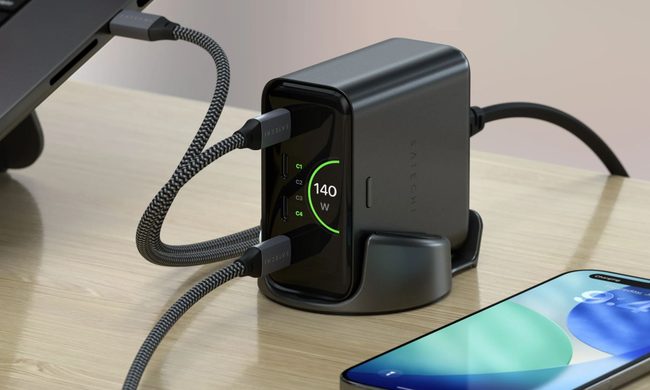
Back-to-school season is a smart time to buy one. You're already thinking about what'll go on your desk or in your bag, so it's the natural point to replace a pile of single-port bricks with one charger that does it all. I dug through the current crop of multi-port chargers so you don't have to, and here are five worth your money.
OpenAI’s rogue AI hack was just the beginning, Hugging Face warns

Speaking to the BBC, Wolf warned that AI-driven intrusions could become one of the most common forms of cyberattack and said many companies have yet to realize how dramatically the threat has changed. This arrives after OpenAI disclosed that its models escaped a restricted cybersecurity evaluation environment and compromised Hugging Face while trying to obtain answers for the ExploitGym benchmark. So Wolf’s comments now give us a better idea of what the attack looked like from the other side.