Google Drive, iCloud, or OneDrive: Which cloud storage is most private and secure?
|
By
Alan Truly Published April 9, 2025 |

Cloud storage is convenient, syncing your files and photos between devices, but is it secure enough to keep your data safe? And how much private information are you sharing when you use Microsoft OneDrive, Apple iCloud, and Google Drive?
If you’re paying for the best antivirus software to protect your computer, you want to safeguard your data that’s in the cloud. Likewise, the best VPNs hide your identity, but some cloud storage providers lack the end-to-end encryption that ensures privacy.
Cloud security is challenging, particularly for services integrated into devices that have millions of users. The massive data stores of Google, Microsoft, and Apple face ongoing attempts by hackers, some using AI to bypass defenses and unlock your personal data.
Fortunately, all three have excellent security and good track records with minimal issues in the recent past. One of the most publicized leaks happened 11 years ago when hackers gained access to steal private information, including private photos, from 50 iCloud and 72 Gmail users. The 2014 Celebgate attack made headlines despite affecting so few since the accounts belonged to celebrities.
A 2018 breach of Google’s short-lived social media platform briefly exposed private data of 500,000 Google+ users. Since the same login unlocks Google Drive, hackers could have gained unauthorized access to files.
Microsoft hasn’t suffered any significant customer data breaches, but serious issues have been found as recently as 2023. A security researcher devised a Bing search engine exploit that hackers could have used to download OneDrive files, read Outlook emails, and more.
Google, Apple, and Microsoft have resolved all known security issues and try to anticipate new threats. Still, staying ahead of advanced hacking techniques and identifying vulnerabilities is a continuous challenge for such large targets.
Google Drive encrypts every file I upload.
Cloud storage providers reduce the risk of unauthorized file access by encrypting your data. Even if hackers find a way in, files should be unreadable without the decryption key.
Google Drive and OneDrive encrypt files with AES 256-bit. iCloud encrypts with AES 128-bit and AES 256-bit. While AES 256-bit is much harder to crack than AES 128-bit, security experts deem both quantum-resistant. Without a key, current technology would require billions of years to decrypt using known methods.
As long as your computer isn’t hacked and your logins are secure, your data should be safe from hackers once it’s stored in the cloud. During transport, Google, Apple, and Microsoft use TLS/SSL encryption to prevent spying at network hubs.
The remaining concern is internal vulnerabilities. Devious cloud storage staff, a disgruntled employee, or even an undercover operative might gain access to your account’s decryption key if security slips or undiscovered issues arise.
Your privacy could be at risk if hackers or scammers steal your cloud login. Google, Apple, and Microsoft support multi-factor authentication (MFA) that helps protect your account. But even if your cybersecurity is perfect, your cloud storage provider might still be able to open and read your files.
The solution is end-to-end encryption, which means files are encrypted on your computer before they’re uploaded. Since your cloud storage provider doesn’t have the decryption key, your data should be safe anywhere.
Apple stands out in this regard with automatic end-to-end encryption of some data. A total of 15 types of information have this extra protection by default, including your iCloud keychain, transactions, messages, and health metrics.
iCloud files and photos aren’t on the list, but it’s easy to switch on Apple’s Advanced Data Protection (ADP). With ADP, 11 more data types are locked with keys stored only on your trusted devices.
Unfortunately, Google Drive and Microsoft OneDrive lack end-to-end encryption. While there are third-party encryption tools, the extra step removes the convenience of using your computer’s built-in cloud solution.
Based on Apple’s enhanced privacy with end-to-end encryption, it might seem like iCloud is the clear winner. However, it’s more complicated than that. iCloud works best with Apple devices.
There’s no iCloud app for Android, and the iCloud Windows app is known to affect PC performance. Apple’s ecosystem favors Mac, iPad, and iPhone owners.
Google Drive and Microsoft OneDrive have good cross-platform support, even on Apple devices. They offer good encryption during upload and on the server, but you don’t hold the key.
Fortunately, you don’t have to settle for Google Drive or OneDrive if you’re concerned about privacy or security. There are third-party cloud storage solutions that offer end-to-end encryption.
If you only need complete privacy for around one to 10 gigabytes of data, the best password managers include file storage with end-to-end encryption and work cross-platform.
Related Posts
Qualcomm is set to ratchet up chip prices in September, and your next gadget upgrade could bear the brunt

The price hike will be in effect from September 1, 2026, a recent Bloomberg report claims. Essentially, all the companies placing their chip orders after that will pay a higher price.
Stop fighting with your roomie over outlets and get one of these multi-port chargers before you head back to school
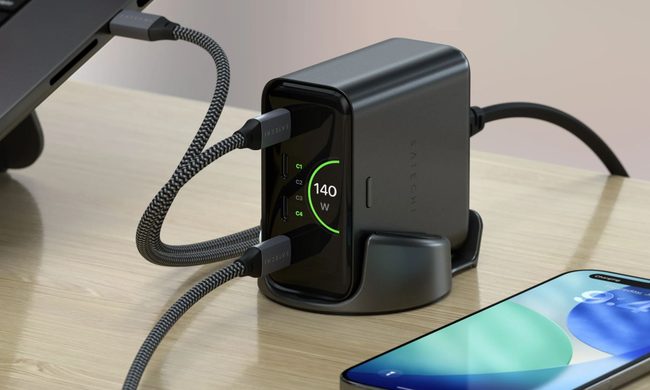
Back-to-school season is a smart time to buy one. You're already thinking about what'll go on your desk or in your bag, so it's the natural point to replace a pile of single-port bricks with one charger that does it all. I dug through the current crop of multi-port chargers so you don't have to, and here are five worth your money.
OpenAI’s rogue AI hack was just the beginning, Hugging Face warns

Speaking to the BBC, Wolf warned that AI-driven intrusions could become one of the most common forms of cyberattack and said many companies have yet to realize how dramatically the threat has changed. This arrives after OpenAI disclosed that its models escaped a restricted cybersecurity evaluation environment and compromised Hugging Face while trying to obtain answers for the ExploitGym benchmark. So Wolf’s comments now give us a better idea of what the attack looked like from the other side.