HP Envy 16 (2023) review: a cheaper MacBook Pro alternative
|
By
Mark Coppock Published June 22, 2023 |

“Why you can trust Digital Trends – We have a 20-year history of testing, reviewing, and rating products, services and apps to help you make a sound buying decision. Find out more about how we test and score products.“
HP’s Envy lineup has always sought to do the impossible: provide premium-level performance at closer to a midrange price — without compromises. The larger Envy 16 is the most powerful of the bunch, with fast CPUs and GPUs that provide excellent performance for video editing and gaming. In many ways, that makes it a dream alternative to a MacBook Pro.
The Envy 16 was updated for 2023, but only on the inside. It gained Intel 13th-gen CPUs and Nvidia RTX 4000-series GPUs, but they add up to a legitimate upgrade for creators and gamers looking for some extra performance at a decent price.
The Envy 16 starts out at a reasonable $1,350 for a Core i5-13500H, 16GB of RAM, a 512GB SSD, an Intel Arc A370M GPU, and a 16.0-inch WQXGA IPS display. My review unit runs $1,750 for a Core i9-13900H, 16GB of RAM, a 1TB SSD, an Nvidia GeForce RTX 4060, and the same IPS display.
You’ll spend $2,685 to double the RAM and storage and opt for a 2.8K OLED display. Each of those prices is less than the competition, making the Envy 16 something of a bargain among machines aimed at creators. It’s unfortunate, though, that HP doesn’t currently offer a lower-priced configuration with the OLED display, because as you’ll see in my testing, the IPS panel doesn’t quite live up to the needs of creators.
The 2023 HP Envy 16 features the 45-watt Intel Core i9-13900H, with 14 cores (six Performance at 5.4GHz and eight Efficient at 4.1GHz) and 20 threads. It has the same number of cores and threads as the more common Core i7-13700H, but its cores run faster and hotter. The Envy 16 is slightly faster than some laptops with the Core i7, but not by that much in our CPU-intensive synthetic benchmarks.
Where the Envy 16 shines is in its performance in the PugetBench Premiere Pro benchmark that runs in a live version of Adobe Premiere Pro. This benchmark can utilize the GPU to speed up various tasks, and the Envy 16, with its RTX 4060, beats the Dell XPS 15 (narrowly) and Dell XPS 17, both of which use RTX 4070 GPUs. The HP also compared well against the MacBook Pro 14 with the M2 Max CPU.
The previous generation of the Envy 16 also exhibited average performance in synthetic benchmarks, but much better performance in PugetBench. The 2023 Envy 16 is a legitimate upgrade for creators looking for a reasonably priced laptop with strong creative performance.
The Envy 16 is just the second laptop we’ve tested with Nvidia’s RTX 4060 GPU. The other is the MSI Prestige 16 Studio, which demonstrated mixed performance depending on which performance mode was set. The Envy 16 was more consistent, providing solid performance that beat out several other laptops in the same class that featured faster RTX 4070-class GPUs.
Note that the Envy 16 uses Nvidia’s Studio drivers, which are optimized for creative applications and not gaming. Switching to Game Ready drivers might provide even better performance, at the cost of slower speeds in creativity tasks.
Overall, these are solid results for a 1080p gaming machine that can dip into 1440p as long as graphics and features aren’t turned up too high. The new Envy 16 performs much faster than its predecessor and is a legitimate upgrade for gamers.
Battery life is a bit of a mystery. The 2023 Envy 16 has the same 83 watt-hour battery as its predecessor, and we reviewed it with a WQXGA IPS display compared to the UHD+ OLED panel we tested last year. However, battery life is significantly less this time around.
Except for the PCMark 10 Applications battery benchmark, where both laptops scored about the same, the 2023 Envy 16 fell way behind. Its battery life went from a relative strength for a larger, powerful laptop to no better than average. I wouldn’t have expected such a large drop from a mere switch to a 13th-gen CPU, but the numbers don’t lie.
The only laptop in our comparison group that lasted less time in our suite of tests was the Dell XPS 17, while the XPS 15 lasted considerably longer in web browsing and video looping. Of course, the MacBook Pro 16 is the class leader, and the only larger laptop that’s guaranteed to get you through a full day’s work.
HP didn’t change the Envy 16’s chassis for 2023, and it remains a larger machine than some other 16-inch laptops. Its bezels aren’t as tiny as the Dell XPS 15’s, and so it’s wider and deeper. The HP is also thicker at 0.78 inches versus 0.71 inches and heavier at 5.12 pounds versus 4.23 pounds. The extra size was intentional when HP redesigned the Envy 16 last year, allowing for more room for airflow and improved thermal performance over the previous generation.
The chassis is still rigid, with just a tiny bit of give in the keyboard deck setting it back a step from the XPS 15 and the Apple MacBook Pro 16. Those are two of the most robust laptops you can buy, though, and the Envy 16 is more than sturdy enough. Its aesthetic is clean and simple, with a silver chassis that’s attractive without any bling. The minimalist look has taken over laptop design in the last several years, and the Envy 16 fits it well. Given its relatively low price, you’ll be left feeling like you got more than your money’s worth.
The keyboard remains just as good, with large keycaps and expansive key spacing that, combined with light, snappy switches, makes for a great typing experience. The Magic Keyboard on the MacBook Pro is better, but not by a lot. The Envy 16’s touchpad is large enough, but there’s room on the palm rest for a larger version. Nevertheless, it was serviceable, with confident, quiet clicks.
Connectivity is strong, with a generous mix of Thunderbolt 4 and legacy ports, As before, I would have preferred a full-size SD card reader rather than the microSD version on the Envy 16. Wireless connectivity is up to date.
I’m also happy to report the excellent quality of the webcam. It’s a 5MP module that provides an excellent image for videoconferencing, even beyond many of the 1080p options in other competing laptops. An infrared camera provides support for Windows 11 Hello passwordless login, and there’s a button on the keyboard to shut off the webcam for privacy.
I reviewed last year’s Envy 16 with the available UHD+ OLED display, and it provided excellent performance. Its colors, both in gamut coverage and accuracy, were excellent for creators. But this year, I was sent the IPS model, and it’s not nearly as good for the creators that HP is targeting.
According to my colorimeter, while the display is plenty bright (at 395 nits), its contrast just exceeds our 1,000:1 threshold for premium laptops. Most important, though, its color width is narrow for creators, especially the 73% coverage of the AdobeRGB gamut. Its accuracy was great, though, almost hitting the Delta-E of 1.0 or less that we like to see on creator-focused machines.
Four speakers provide the audio, two upward-firing that flank the keyboard and two downward-firing on the bottom front of the chassis. As with the previous model, while mids and highs were clear and there was a good bit of bass, the speakers didn’t get very loud. That sets it a step back from the Dell XPS 15 among Windows laptops and way behind the best laptop speakers on the MacBook Pro 16.
It’s good enough for streaming and music in a small room, but for a larger room or a group, a good pair of external speakers would be recommended.
If you’re primarily a basic productivity user, then you won’t find much difference between the 2022 and 2023 HP Envy 16. However, if you’re a creator or gamer, then the updated CPU and GPU provide meaningful improvements in performance.
The Envy 16 lives up to its promise as a reasonably priced laptop that can meet the needs of those two user groups. However, you’ll want to spend more money and upgrade to the OLED display if you’re a creative type who craves wide colors.
Related Posts
Qualcomm is set to ratchet up chip prices in September, and your next gadget upgrade could bear the brunt

The price hike will be in effect from September 1, 2026, a recent Bloomberg report claims. Essentially, all the companies placing their chip orders after that will pay a higher price.
Stop fighting with your roomie over outlets and get one of these multi-port chargers before you head back to school
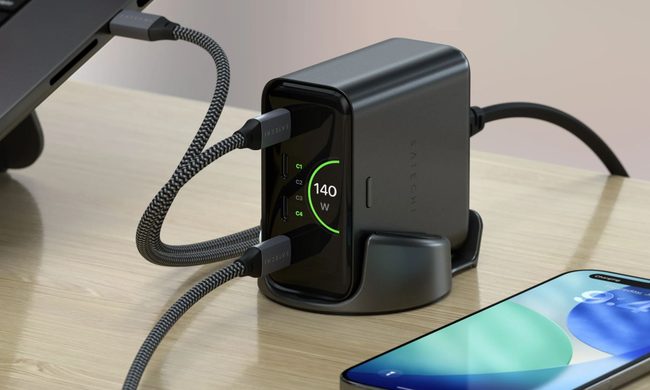
Back-to-school season is a smart time to buy one. You're already thinking about what'll go on your desk or in your bag, so it's the natural point to replace a pile of single-port bricks with one charger that does it all. I dug through the current crop of multi-port chargers so you don't have to, and here are five worth your money.
OpenAI’s rogue AI hack was just the beginning, Hugging Face warns

Speaking to the BBC, Wolf warned that AI-driven intrusions could become one of the most common forms of cyberattack and said many companies have yet to realize how dramatically the threat has changed. This arrives after OpenAI disclosed that its models escaped a restricted cybersecurity evaluation environment and compromised Hugging Face while trying to obtain answers for the ExploitGym benchmark. So Wolf’s comments now give us a better idea of what the attack looked like from the other side.