macOS 26 Tahoe: everything you need to know
|
By
Nadeem Sarwar Published August 16, 2025 |

The year 2025 is shaping up to be a special one for the Apple ecosystem adherents, especially from a software perspective. So far, the chatter around the big yearly software upgrades has been focused on the controversial Liquid Glass design across all platforms, but there are enough functional changes that will keep Mac users happy.
Apple’s latest computing software is macOS Tahoe, which was introduced at the company’s annual WWDC conference back in June, and after a few weeks of developer-focused testing, it is now available in the public realm as a beta update. Going by Apple’s history of past releases, the update will be released widely for all compatible Macs in the Fall season.
Well, it’s the latest version of Apple’s in-house operating system for Mac devices. If you aren’t enrolled in Apple’s beta testing program, your Mac is most probably running the macOS Sequoia build.
macOS Tahoe stands out visually with a design that is inspired by light interaction patterns as seen through the movement of liquid glass. To go with all that aesthetic flash is also plenty of substance that power users will certainly appreciate.
It introduces a supercharged Spotlight that now includes a native clipboard, and also gets a bunch of new apps and features that make it work even seamlessly in tandem with an iPhone. Shortcuts have also received an AI boost, and gaming also gets a boost with support for Metal 4 graphics architecture.
Apple has a long tradition of giving a proper name to macOS builds, instead of the numerical pattern it follows for other operating systems, such as iOS and watchOS. At the moment, Apple picks up the name of a famous natural landmark or geographical point.
Prior to that, Apple released macOS X builds inspired by the names of animals, such as Snow Leopard, Jaguar, Panther, and Jaguar. For the latest iteration of macOS, which is technically version 26, Apple picked the name Tahoe.
The moniker is derived from Lake Tahoe, a freshwater reservoir in the Sierra Nevada Mountains. Often regarded as one of the most gorgeous natural landscapes in the world, the lake commands a surface area of around 191 square miles.
The most notable aspect of it is the water’s clarity. “Of all the large lakes worldwide, there are none with an annual clarity exceeding Tahoe’s,” says the Tahoe Environmental Research Center.
Apple revealed macOS Tahoe at its annual developers conference in June this year. Soon after, it was released for developers for early testing. Just over a month later, Apple released the first public beta version of macOS Tahoe in July.
At the moment, the beta testing phase is still in motion. As usual, you must have your Apple account registered for beta testing to install this pre-release build on your Mac. For the rest of Mac users across the world, Apple will likely roll out the stable version of macOS Tahoe at some point in September, probably coinciding with its big Fall launch event.
In order to install macOS Tahoe, you must have a compatible Mac machine and an Apple account. But before you go ahead, do keep in mind that this is still pre-release software, which means there could be performance, efficiency, and app issues.
In a nutshell, don’t install it on your main workhorse machine. If you are still ready to make the plunge, follow these steps:
As mentioned above, you must have a device that is compatible with macOS Tahoe to be able to install it. Broadly, it supports Mac machines that were launched as far back as 2019. Following is the complete list:
MacOS Tahoe is one of the biggest upgrades in the history of Macs, both in terms of functional depth and aesthetic overhaul. The Liquid Glass design interface is not only unique, but it also serves to unify the look across Apple’s platforms.
The Control Center is now a familiar affair across iPhones and Macs, and so is the look of iPadOS. But the apparent unification runs deeper than the transparent UI elements. In fact, the deep customization that has been available on Apple’s mobile devices is also making its way to Mac machines.
The cross-platform synergy also extends to apps and features. For example, Apple is bringing the full-fledged Phone app to the Mac, with all the scam detection and spam blocking features in tow. Additionally, the new Call Screening and Hold Assist tricks have been ported over to the Mac, as well.
Remember the Live Activities feature that turns the Dynamic Island on iPhones into an activity hub? Well, that facility has also landed on Apple’s computing machines courtesy of macOS Tahoe. Of course, you also have the ability to engage with live activity alerts directly on your Mac.
My favorite element of the update is Spotlight. Apple has finally put a native clipboard manager on Macs, and it is directly integrated with Spotlight. The search system has also been tweaked. Now, as you look up an item, all the relevant entries across files, folders, events, apps, and messages are presented intelligently based on the context.
Moreover, there are now filtering categories across destinations, such as PDFs or Mail, that will make the search even easier. App Intents is another underrated feature. Essentially, it’s a framework that allows applications to surface quick actions in Spotlight when you intend to call an app.
The idea is that you can accomplish tasks without having to dig within the menu pages of an app. Apple refers to them as parameters, and it looks familiar to how users fill the intent and destination fields in the Shortcuts app.
Think of them as action hotwords, like “Send.” For example, as you type those letters in the text field, it will show suggestions across apps such as Mail and Messages. And as you proceed, the system makes tweaks in real-time by adding fields such as Recipient and Subject, in case you want to compose an email.
The true gem, however, is the Quick Keys feature in Spotlight. In a nutshell, you can assign keyboard shortcuts for app actions and execute them straight from Spotlight. Essentially, you pick a letter (or a set of letters) that best describes (or summons) a particular tool.
Take, for example, “Br.” Based on how you have set it up, it can perform tasks such as adjusting the brightness of the screen, setting the default browser, or deleting browser data. The actions are ranked based on how frequently or recently you have interacted with a certain file or task in your recent memory.
Other smaller changes in macOS Tahoe include the arrival of the Journal app on Mac machines, a new tiled design for FaceTime video calls, a fresh design for the Photos app, Apple Intelligence integration within Reminders, Markdown import support in Notes, and the arrival of Apple’s new Games app, as well.
Related Posts
Qualcomm is set to ratchet up chip prices in September, and your next gadget upgrade could bear the brunt

The price hike will be in effect from September 1, 2026, a recent Bloomberg report claims. Essentially, all the companies placing their chip orders after that will pay a higher price.
Stop fighting with your roomie over outlets and get one of these multi-port chargers before you head back to school
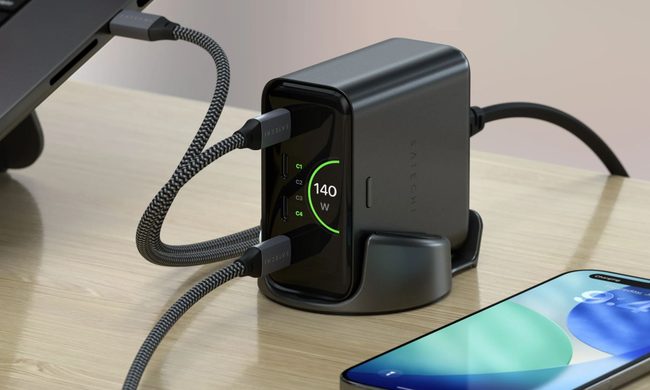
Back-to-school season is a smart time to buy one. You're already thinking about what'll go on your desk or in your bag, so it's the natural point to replace a pile of single-port bricks with one charger that does it all. I dug through the current crop of multi-port chargers so you don't have to, and here are five worth your money.
OpenAI’s rogue AI hack was just the beginning, Hugging Face warns

Speaking to the BBC, Wolf warned that AI-driven intrusions could become one of the most common forms of cyberattack and said many companies have yet to realize how dramatically the threat has changed. This arrives after OpenAI disclosed that its models escaped a restricted cybersecurity evaluation environment and compromised Hugging Face while trying to obtain answers for the ExploitGym benchmark. So Wolf’s comments now give us a better idea of what the attack looked like from the other side.