Maingear F131 hands-on review
|
By
Matthew S. Smith Published August 23, 2019 |

“Why you can trust Digital Trends – We have a 20-year history of testing, reviewing, and rating products, services and apps to help you make a sound buying decision. Find out more about how we test and score products.“
PC gamers like to show off. That’s why multicolored LEDs, tempered glass windows, and full-loop liquid coolers exist. None of that’s technically required to enjoy games, just as 21-inch chrome rims and a body kit aren’t technically required to motor down the highway. That’s missing the point. Among fans, form itself becomes the function, proving to all the world how much each rig’s owner loves PC hardware and gaming.
That’s why the F131 is sure to turn heads. I saw its press release, reading the long list of predictably incredible specifications — the latest Intel or AMD processors, up to dual Nvidia Titan Xp graphics, and so on. I raised an eyebrow in interest. Then I saw it in person, and I was floored.
The first thing I noticed was the F131’s Apex liquid cooling solution. It consists of all the usual pipes, pumps, and radiators, but throws in a massive, transparent reservoir that’s as tall as the PC, and about half a foot wide. Backlit and filled with various dyed liquids – buyers can customize these – it looked gorgeous. Full-loop liquid cooling is always brilliant, but Maingear’s reservoir steals the show. It’s the kind of thing only a serious boutique builder can offer.
That’s not the only way you can trick out your rig. Maingear also came ready to tout its custom, automotive-quality paint. Such extravagance isn’t unusual for a custom gaming rig, but the detail Maingear offers is special. This treatment, called Marc II, lets you pick whatever logo, design, or artwork you’d like, and have it applied as paint to your computer.
The company had a side panel done up with PlayerUnknown’s Battlegrounds art at the show, and I was giddy. I’ve seen plenty of custom paint before, but the fine detail displayed by the Marc II paint couldn’t be ignored. I wanted to sneak the panel home, but it unfortunately wouldn’t fit in my bag.
I should also note the F131 is a fully custom chassis. Origin also debuted a new custom chassis at CES 2018 with its revised Millennium, and Digital Storm showed off its Spark. Admittedly, I like the Millennium best, but the F131 delivers similar hardware in a svelte design, and Maingear’s liquid cooling undeniably looks betters.
Whether it’s easier to service is arguable. The F131 has a smart, clean chassis that, despite its thin size, does little to obstruct the internals. The full-liquid-cooled setup will complicate matters, but that’s true for any PC. The only real complication is Maingear’s decision to turn the video card sideways, placing it on the same plane as the motherboard, just below the motherboard. That might make removing the card more difficult.
You can customize and buy the Maingear F131 now, starting at $1,600 for a Ryzen configuration, or $1,785 for an Intel setup.
Related Posts
Qualcomm is set to ratchet up chip prices in September, and your next gadget upgrade could bear the brunt

The price hike will be in effect from September 1, 2026, a recent Bloomberg report claims. Essentially, all the companies placing their chip orders after that will pay a higher price.
Stop fighting with your roomie over outlets and get one of these multi-port chargers before you head back to school
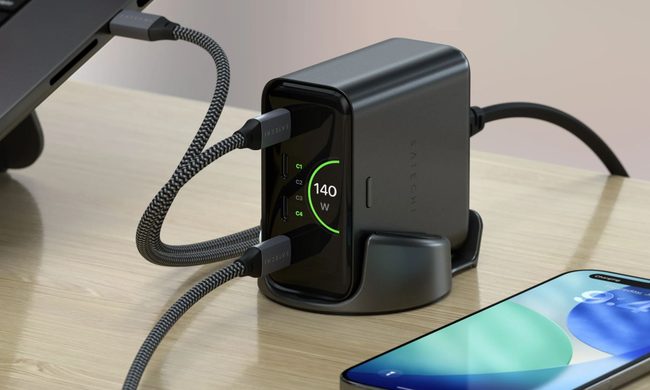
Back-to-school season is a smart time to buy one. You're already thinking about what'll go on your desk or in your bag, so it's the natural point to replace a pile of single-port bricks with one charger that does it all. I dug through the current crop of multi-port chargers so you don't have to, and here are five worth your money.
OpenAI’s rogue AI hack was just the beginning, Hugging Face warns

Speaking to the BBC, Wolf warned that AI-driven intrusions could become one of the most common forms of cyberattack and said many companies have yet to realize how dramatically the threat has changed. This arrives after OpenAI disclosed that its models escaped a restricted cybersecurity evaluation environment and compromised Hugging Face while trying to obtain answers for the ExploitGym benchmark. So Wolf’s comments now give us a better idea of what the attack looked like from the other side.