
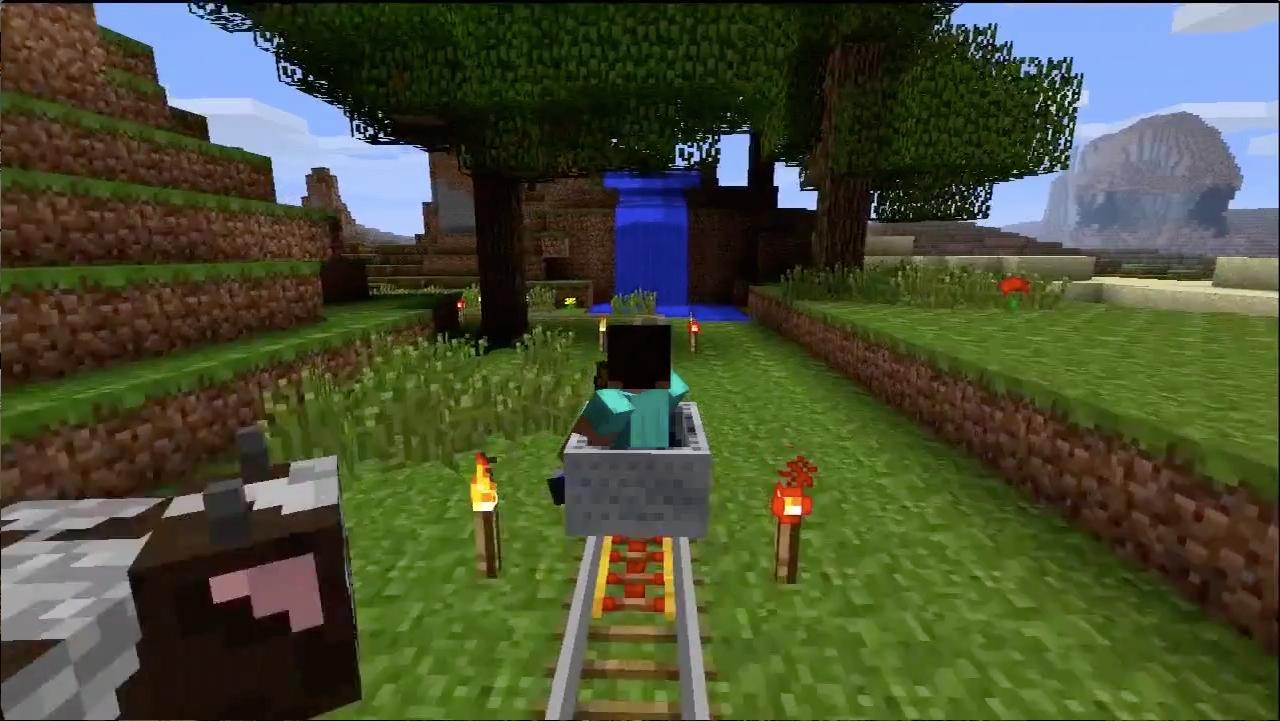
Minecraft comes to Xbox Live Arcade this week, and that development amounts to dread tidings for the Xbox 360-playing addictive personalities of the world. The experience of playing Mojang’s formerly PC-only sensation can be boiled down to a simple idea: LEGOs with monsters. Within that brief description, however, there is a literal world of possibility. It’s a slightly constrained world in its console form, but it is a no less magical one for a first-time explorer to take in.
There’s a very simple concept at work in Minecraft: survive, then thrive. Any new game starts out by depositing you in the center of a world built out of cube-shaped blocks of various types and properties. Monsters come out at night (unless you have the difficulty set to Peaceful), so your first necessary steps in the world involve building shelter and some basic survival tools like torches, swords, and a front door (which keeps monsters at bay).
Once you’ve got these essentials worked out, the world is pretty much at your mercy. The core gameplay conceit has you “mining” any in-range block that you target with your crosshairs, and collecting the resource that the “mined” object offers. You can then use these resources in a variety of ways. Stone and wood blocks (and a few other things) can be placed in the world, allowing you to build elaborate structures. Some blocks can be crafted into other items.
For example, if you’ve got two wooden sticks and three stone blocks, you can ease the process of mining by building a stone pickaxe. Some resources can simply be placed in the world and left to do their thing. A “planted” tree sapling, for example, will eventually grow into an actual tree. There’s no “endgame” goal to all of this, other than what your imagination cooks up. See that natural rock formation off in the distance? Wouldn’t it be cool to build a castle on top of it? Well you can go gather the necessary resources and do that.
It seems like a simple idea, but there’s a lot of depth here. For example, the resource redstone can be used to build rudimentary electrical systems. Or you can smelt the various raw ores you find into ingots, and then use those ingots to build a range of useful items. You hydrate soil using a nearby water source and then use any seeds you’ve gathered to build yourself a proper farm. To support your creations, you’ll need to thoroughly explore the world and dig deep underground as you search for the rarer resources.
While the Xbox 360 version of Minecraft retains the same fundamental qualities that make the PC game so popular, some necessary changes had to be made. The size of the world has been stripped down considerably, for example. If you’re a total newcomer, you likely won’t even notice. Those who have logged many tens of hours on the PC side will definitely pick up on the changes and omissions that ultimately render Minecraft: Xbox 360 Edition as a lesser product compared to its PC-based sibling.
The biggest issue is the fact that 4J Studios’ console port runs on the equivalent of a much earlier PC version of Minecraft. This is largely due to the demands of developing a game for a closed platform like the Xbox 360, but the absence of things like NPC villages, abandoned mine tunnels, and elaborate jungle biomes is immediately noticeable to the seasoned fan. Everything that makes Minecraft fun is still here, but the complexity is diminished from what regular players might know.
It’s worth mentioning there are stated plans to bring this console release up to date with the PC version of Minecraft. There’s no word on when or how that will happen yet though. It’s not fair to call Minecraft: Xbox 360 Edition an unfinished game, but it also definitely isn’t all that it could be.
Fortunately, the work that 4J did on porting Minecraft wasn’t focused solely on stripping out content. The Xbox 360 release has some major tweaks built in to make the game more friendly for console gamers. There’s a tutorial world for starters, a chunk of game that walks you through both basic and advanced techniques for cultivating your Minecraft world.
There’s also a re-tooled crafting interface that lays out everything you can build in the game in a categorized set of lists. If you’ve got the required materials in your inventory, you can make the object. That means there’s no more cross-referencing with the Minecraft wiki to see how to build something; the game flat-out tells you which resources you need, and in what amounts, to create anything.
 Apart from the tutorial, you’ll also encounter helpful on-screen pop-ups whenever your crosshairs fall on a resource that you haven’t previously discovered. The text window fills you in on what resource you’re seeing and what its basic uses are. It’s a simple addition, but it’s one that makes Minecraft‘s steep learning curve feel a bit more gentle.
Perhaps the best improvement over the PC game is the console version’s online implementation. It’s not as open-ended in terms of being able to set up a server and let anyone in. You’ll only be able to join worlds belonging to your friends in Minecraft on your Xbox 360, but the “Load Game” screen will automatically list any open multiplayer worlds alongside your own saved ones. Joining is a simple matter of selecting the online world and dropping into it.
There’s still a lot of room for improvement, but it wouldn’t be Minecraft if more tantalizing features weren’t awaiting in future updates. That’s always been the big shtick for Mojang’s game, and it helps to make the imbalance between the PC and console versions feel a bit more bearable. Minecraft: Xbox 360 Edition is finished, and most definitely ready to be played for hours at a time, but it could be — and hopefully will be, in time — so much more than it is as it arrives for the first time on Xbox Live Arcade.
(This game was reviewed on the Xbox 360 on a copy provided by Mojang)
Imagine tapping a Zelda icon on your iPhone and jumping straight into Hyrule. A new open-source project called nxnative makes that possible by repackaging Switch games you’ve bought into apps for iPhone, iPad, and Mac, with no emulator in the middle.
Why does this run so well on Apple devices?
The Call of Duty franchise has held a special place in my heart ever since I played my first Black Ops game back in 2010. That game's campaign was something else, with twists and turns that culminated in a mind-blowing finale. We can all admit that compared to those older campaigns, the recent CODs have been lackluster at best, and a complete and utter disappointment at worst. The reboot of Modern Warfare did give me some hope, as the first two installments were actually quite good, but the third game left such a bad taste in my mouth that I wasn’t exactly expecting much from Modern Warfare 4.
After recently finishing the campaign, I can say that this installment is nothing like the recent releases and instead feels closer to the franchise’s roots. For the first time in a long while, the campaign comes across as well-crafted rather than rushed to hit a release date. It arrives three years after MW3, and you can see exactly where all that time went. It seems the studio finally made listening to player feedback a priority.
Epic Games has just announced the 2026 Epic AI MegaJam, which is looking to see how much game development can be squeezed into a very short window. This is running from November 12 through November 15.
Participants can work alone or in teams of up to five people, build in Unreal Engine or Unreal Editor for Fortnite, and bring along “as many AI agents as you want.” Epic explicitly encourages coding agents, AI-generated assets, audio tools, writing tools, and other AI systems. The official event page literally says "Vibe your way to $50k.”