
While Amazon Alexa is best known for its ability to give you updates on the news or dish out commands to the rest of your smart home, Alexa also works as a basic security system. This is known as Alexa Guard, and it’s a great feature that comes bundled free with most Alexa devices.
When enabled, Alexa Guard provides tons of cool features, such as the ability to automatically turn your lights on and off while you’re away from home or alert you when a smoke detector is going off. But how exactly does Alexa Guard work? And how do you enable it on your Alexa devices? Here’s a closer look at everything you need to know.
Alexa Guard is a feature on Echo devices that acts as a pair of ears for your home when you’re not there. It can listen for sounds that indicate something dangerous might be going on in your home, and then alert you to tell you what it hears. Think of Alexa Guard as a tattletale that specifically listens out for breaking glass, smoke detectors, and carbon monoxide detectors. If the far-field microphones hear one of those danger sounds, Alexa will notify you by sending you a 10-second clip of the sound. You can choose which types of sounds you want to be notified about.
Alexa Guard can also work with your smart lighting to make it look like you’re home when you’re out of the house or when you go on vacation. Guard uses machine algorithms to determine the right on and off patterns to make it look like you’re sitting on the couch watching Netflix when you’re really out on the town.
While Alexa Guard will help to protect your home in the event of an emergency, you should not use it as a substitute for an actual alarm system. Alexa Guard can work in conjunction with your existing system (Ring, ADT, or Scout), but don’t expect it to work as harmoniously as a system like Nest where it can manage multiple home systems in response to a threat.
Overall, Alexa Guard requires a certain degree of evaluation and decisiveness on the part of the user. It is not a professional monitoring service, but rather a warning you receive from Alexa when it detects danger.
Alexa Guard Plus is a paid version of the Alexa Guard feature that comes with its own unique benefits. For $5 a month (or $49 a year), Guard Plus unlocks access to Amazon’s Emergency Helpline. Say a fire breaks out while you’re cooking dinner. Instead of scrambling for your phone, you’ll be able to tell Alexa to call for help. This puts you in touch with an Emergency Hotline rep that can connect you with police, fire, and ambulatory services.
Guard Plus also adds additional Alexa device monitoring. Compatible hardware with Guard Plus enabled will listen for “activity” sounds in your home. When detected, your Echo device will emit a siren sound to ward off potential intruders. If your Alexa-enabled Ring, Blink, Arlo, or August outdoor cameras detect suspicious outdoor activity, Alexa Guard Plus will tell your indoor Echo speakers to begin barking like angry dogs. That’s no joke. Ring Protect Plus customers will also be happy to know that Alexa Guard Plus will be included in their Ring subscription for no additional charge.
If you have the latest version of the Alexa App, the feature should be available to you as long as you have at least one compatible Echo device — an Echo, Echo Dot, Echo Plus, Echo Show, Echo Spot, or Echo Input.
Alexa Guard can arm your compatible system, as well as forward smart alerts to ADT when it detects a danger sound, like a smoke detector. ADT Pulse or Control customers can choose to have ADT take action on their behalf in response to alerts.
This compatibility also applies to those with the Ring security system. Through the Ring App, Ring Protect Plus customers can request that emergency responders check out their home, but the user has to initiate this request.
People who prefer more compact DIY security systems will be happy to know that Guard is also compatible with the Scout Alarm system. If you use the Always On+ plan for monitoring, Alexa will send an alert to Scout’s monitoring center just like a Scout device would on its own.
It’s relatively simple to set up Alexa Guard, and the process only takes about three to five minutes, even if you decide to turn on all available features. Here’s how to get Alexa to “guard” your home:
Step 1: Open the Alexa app (update if necessary).
Step 2: Look for the Menu button in the upper left corner — the three lines — and select it. Choose Settings at the bottom of the menu.
Step 3: Scroll down to the section called Alexa Preferences and choose Guard. In the new introduction screen that pops up, choose Set Up Guard.
Step 4: You’ll now be given a series of options to enable for Guard. These include:
Step 5: The system will ask you first to confirm the installation. After confirmation, you’ll see the Guard home screen and details behind your current status. If you prefer, you can use this screen to navigate to the Settings menu. From here, you can add additional features like extra lights, location data, or supplementary security systems.
Step 6: Whenever you leave your home, say, “Alexa, I am leaving,” and it will turn on the Guard setting on your behalf. When you return, say, “Alexa, I’m home,” and it will immediately switch Guard off for you.
Step 7: The Guard system will send you alerts and warnings if it detects any suspicious activities or sounds (footsteps, coughing, etc.). The system is designed to detect human noises instead of pets and household appliances, but it’s definitely not perfect. Every notification you receive gives you the option to hear a playback of the recorded noise.
If what you hear in a recording concerns you, you can Drop In. The Drop In feature lets you connect your phone directly to your Echo speaker so you can listen to any noises in your home in real-time. You can even start talking into the speaker to scare off any intruders. Check out our guide on how to enable Drop In and receive permissions for dropping in on your friends. Each Guard alert will let you choose if you’d like to Drop In on your Echo or not, so you have full control.
Related Posts
Top Smart Home Upgrades Worth Making Before Your Summer Break
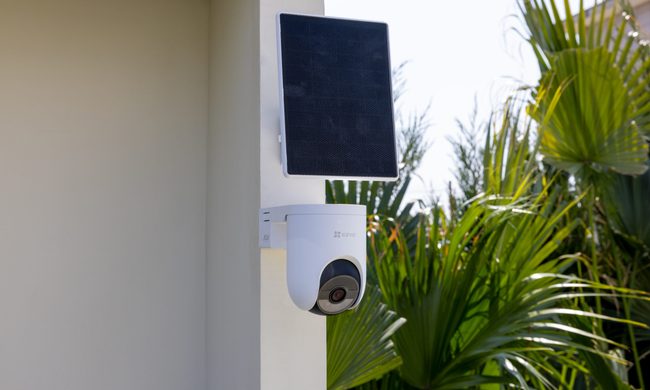
Modern smart home technology makes those situations easier to manage. Today's connected devices can do far more than record footage or send motion alerts. They can help homeowners monitor outdoor spaces around the clock, stay informed about important activity, communicate with visitors remotely, and manage entry without needing to be physically present. Instead of constantly checking in or wondering whether everything is running smoothly back home, the right setup can provide greater visibility, convenience, and peace of mind throughout the season.
EZVIZ Sets a New Benchmark for Battery Powered Home Surveillance
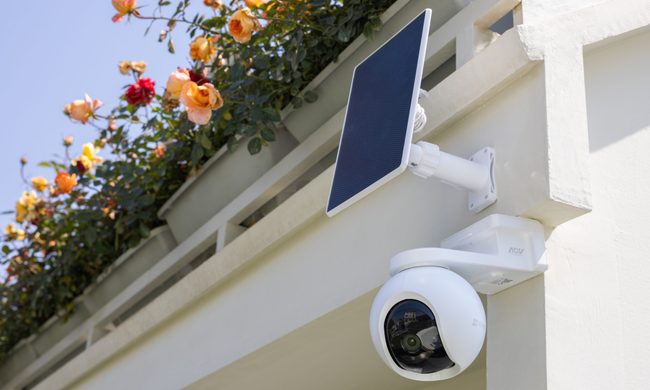
This shift has also raised expectations. Modern users want more than clear video. They expect smart detection, reliable monitoring, seamless smart home integration, and solutions that adapt to different property sizes and lifestyles. As one of the world's leading smart home camera brands, EZVIZ has responded by building one of the industry's most comprehensive portfolios of battery-powered cameras. The lineup is designed to serve every living situation, whether for renters or owners of apartments, condominiums, or villas. From accessible options for everyday monitoring to advanced multi-lens systems for larger and more demanding environments, the portfolio reflects a strong focus on innovation, user-centric design, and real-world needs.
Beatbot AquaSense X review: The pool cleaner for those that want to be pampered
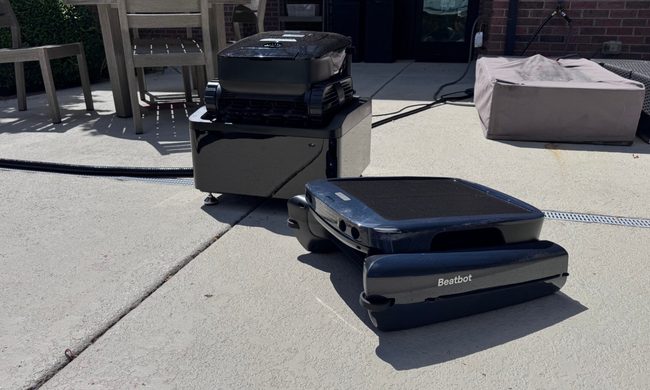
Quick take: