
If you’ve got a Nest camera and have been dying to give it a go as part of Google’s new web preview, it’s time. Head to home.google.com and have a look. Just be prepared to be largely underwhelmed and to remind yourself that it indeed is in preview status.
There are a few reasons for that. First is that you’ll need to have a supported camera, which right now includes Nest Cam (battery and wired), Nest Cam with floodlight, Nest Doorbell (first-generation, and the wired model Gen 2 model), Nest Cam Indoor, and indoor and outdoor models of Nest Cam and Nest Cam IQ.
You’ll also need to make sure you’ve already migrated your Nest account to a proper Google login. Then once you hit the website, you’ll see just how limited this preview is at present. You’re able to toggle things off and on and view feeds from your cameras, but that’s it. There’s no audio, and you’re not able to use a microphone to talk back to anyone within view.
You’re currently able to view cameras in a grid view — which lets you see more than one at a time — or one at a time in a list view. You also can toggle all cameras off or on at once, if you want.
If you’re a current Nest user and are used to the browser experience at home.nest.com, it’s definitely sparse — particularly if you have other devices like a Nest Thermostat, Nest Protect smoke detector, or the discontinued (but very much still operational) Nest Secure home security system. None of those devices show up in the Google preview. And the newest generation of Nest Doorbell (which wears the Google logo on its chest) doesn’t actually show up in the Nest app and instead must be worked from the newly redesigned Google Home app or viewed from the home.google.com preview site.
We’ve tested on Chrome and Safari on desktop, and both browsers work fine. You also can give it a go on mobile if you want — though there’s really no reason to do that. The latest Nest Doorbell works on mobile Chrome and Safari, but other cameras don’t.
In other words, it’s a bit of a mess right now. It’s not yet obvious if this is part of a larger shift completely away from the Nest brand, though you have to imagine that’s sort of the point of the transition.
For now, just be happy with the ability to view the latest Nest Doorbell (again, the one with the Google logo) from a web browser, utilize most everything from the Google Home app (save for the Nest Secure, which absolutely requires the Nest app), and hope devices don’t get lost in the shuffle.
Because it’s probably going to be a bumpy ride.
Related Posts
Top Smart Home Upgrades Worth Making Before Your Summer Break
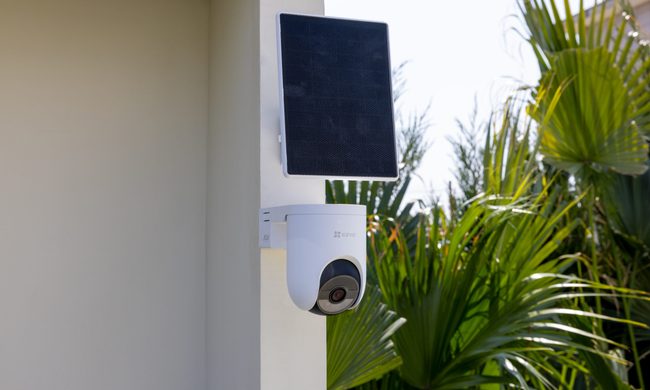
Modern smart home technology makes those situations easier to manage. Today's connected devices can do far more than record footage or send motion alerts. They can help homeowners monitor outdoor spaces around the clock, stay informed about important activity, communicate with visitors remotely, and manage entry without needing to be physically present. Instead of constantly checking in or wondering whether everything is running smoothly back home, the right setup can provide greater visibility, convenience, and peace of mind throughout the season.
EZVIZ Sets a New Benchmark for Battery Powered Home Surveillance
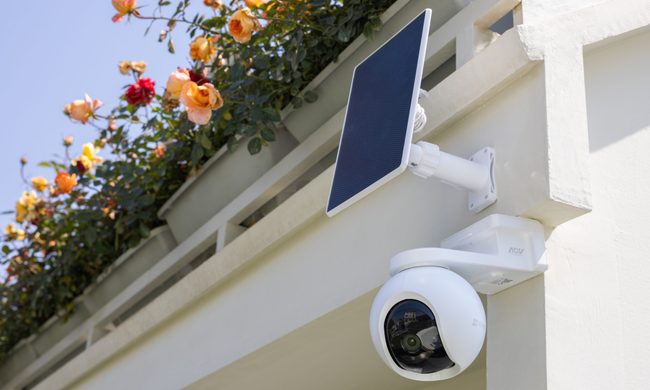
This shift has also raised expectations. Modern users want more than clear video. They expect smart detection, reliable monitoring, seamless smart home integration, and solutions that adapt to different property sizes and lifestyles. As one of the world's leading smart home camera brands, EZVIZ has responded by building one of the industry's most comprehensive portfolios of battery-powered cameras. The lineup is designed to serve every living situation, whether for renters or owners of apartments, condominiums, or villas. From accessible options for everyday monitoring to advanced multi-lens systems for larger and more demanding environments, the portfolio reflects a strong focus on innovation, user-centric design, and real-world needs.
Beatbot AquaSense X review: The pool cleaner for those that want to be pampered
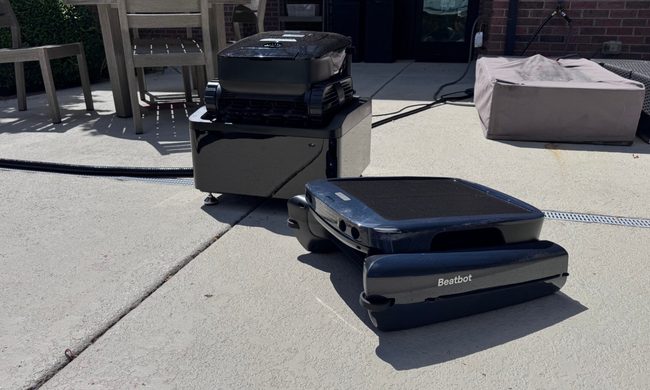
Quick take: