
Do you have a smart security cam and an Echo device? Then we have a cool security trick that you can enable to scare away potential intruders. It’s the ability to make your Echo bark loudly like a dog at just the right times to protect your home. If you’re interested, here’s exactly how to set it up!
Alexa Guard comes in two different flavors, the free version and Alexa Guard Plus. The free Alexa Guard is quite limited: When you enable it, it can listen for smoke alarms or glass breaking and send you alerts or flash any connected smart lights as a deterrent. It’s useful in its own way, but not exactly a replacement for a security system.
With the subscription-based Guard Plus, you get many more features, including access to an emergency helpline, the ability to listen for human activity in a home, and the ability to sound a siren — or bark like a dog during the right situations. Guard Plus comes with a free trial and costs $4.99 per month after that. If you already have a service like Ring Protect Plus, you get Guard Plus as part of that package (and the same will soon be true of many security packages, including Abode, Scout, Wyze, and Resideo).
If this is your first time with Guard Plus, you will need to head to the Alexa app, choose Settings, choose Guard, and upgrade to Plus, adding emergency contact information and finalizing your subscription. Make sure that the field Dog Barking Sounds is present and enabled.
Now you need an outdoor security cam with motion sensors that’s compatible with Amazon’s Alexa voice assistant. Don’t worry, that’s not as difficult as it may seem. The majority of smart cams come with motion detection these days, and hundreds of models are compatible with Alexa. If you already have a security cam, look it up — there’s a good chance your Echo will support it.
When you are ready, head into the Alexa app, select Devices, and select the Plus symbol in the upper-right corner. Then choose to Add Device and select Camera from the following list. Alexa will then ask you to choose the brand of your camera.
With the right brand chosen, Alexa will direct you to further instructions, such as downloading a specific Alexa skill or downloading a brand app. If you have already set up your security cam, you may be able to move on directly to the next step, where Alexa will have you link your accounts and enable the cam for use through your Echo device.
Now, all you need to do is put your Echo into Away mode so that Guard is activated. You can do this through commands like, “Alexa, enable Guard,” or “Alexa, I’m leaving.” Your Echo will light up or show a Guard icon to acknowledge that it is now “armed.”
Now, if your security cam’s motion sensor detects motion on your front porch or in front of a door, it will send a message to Alexa, and your Echo will start barking like a guard dog to discourage any potential crimes.
When you return home, you can say, “Alexa, I’m home,” or similar phrasing to switch your Echo out of Away mode and disarm Alexa Guard.
You will want to make sure both your security cam and Echo stay consistently updated and that they are always connected for the best results.
Related Posts
Top Smart Home Upgrades Worth Making Before Your Summer Break
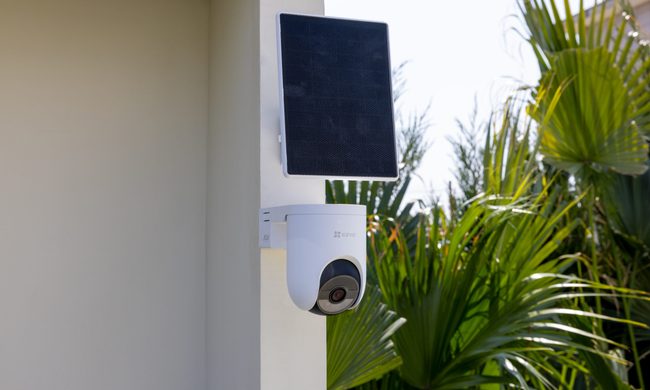
Modern smart home technology makes those situations easier to manage. Today's connected devices can do far more than record footage or send motion alerts. They can help homeowners monitor outdoor spaces around the clock, stay informed about important activity, communicate with visitors remotely, and manage entry without needing to be physically present. Instead of constantly checking in or wondering whether everything is running smoothly back home, the right setup can provide greater visibility, convenience, and peace of mind throughout the season.
EZVIZ Sets a New Benchmark for Battery Powered Home Surveillance
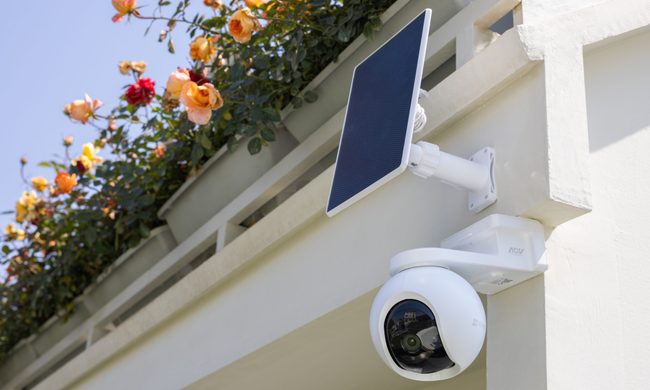
This shift has also raised expectations. Modern users want more than clear video. They expect smart detection, reliable monitoring, seamless smart home integration, and solutions that adapt to different property sizes and lifestyles. As one of the world's leading smart home camera brands, EZVIZ has responded by building one of the industry's most comprehensive portfolios of battery-powered cameras. The lineup is designed to serve every living situation, whether for renters or owners of apartments, condominiums, or villas. From accessible options for everyday monitoring to advanced multi-lens systems for larger and more demanding environments, the portfolio reflects a strong focus on innovation, user-centric design, and real-world needs.
Beatbot AquaSense X review: The pool cleaner for those that want to be pampered
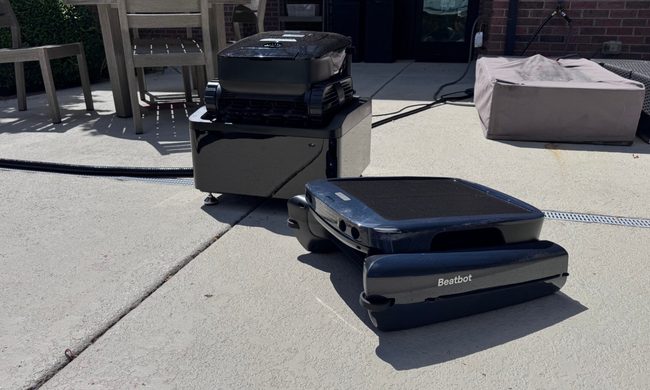
Quick take: