
The is one of the best smart doorbells of 2023. Not only is it affordable, but it can capture HD video, store footage for later review, and is remarkably easy to install regardless of your existing setup. However, if you’re looking to make the most of your fancy smart doorbell, you’ll want to dive into its accompanying smartphone app and make a few tweaks to your settings. Here are five tips and tricks for the Ring Video Doorbell to improve its performance.
The first thing you’ll want to do after installing your Ring Video Doorbell is set up motion zones. These are customizable areas that will trigger an alert if motion is detected — and properly setting them up will save you the headache of getting unwanted updates. To customize your motion zones, load up your Ring app and tap the three lines at the top of your screen. From there, select Devices, then navigate through Motion Settings to Motion Zones. You’ll now be able to add zones and adjust the size of existing zones.
Motion zones do a great job of reducing unwanted motion alerts — such as when people are walking on the sidewalk outside your home or far off in the peripheries. However, sometimes you want to turn off motion notification entirely (a useful feature if someone in your family will be going in and out of the front door repeatedly over the course of a few minutes). To turn off your motion detection or motion alerts, simply open the Ring app, click on the three lines at the top of the screen, then head to the Devices menu. Select the device you want to adjust, then toggle the Motion Detection or Motion Alerts button on or off.
Want your Ring Video Doorbell to monitor your home while you’re away, but turn off entirely when you’re home? Consider setting up Mode Settings. These allow you to automatically activate certain features with a single button press instead of wading through a sea of menus. To enable this functionality, head back to the Devices screen and click on the product you want to modify. Next, click Mode Settings. You’ll then be walked through the activation process. Once enabled, you’ll have the option to choose three different Modes – each one offering different functionality and activated with just one touch on the Device menu.
Unfortunately, there’s no foolproof way to give your Ring Video Doorbell a significant boost in battery life. You can eke out a bit more juice by disabling motion detection or moving your Wi-Fi router closer to your front door, but those will only get you so far. You might also consider picking up a new battery pack if yours is a few years old, as they lose their longevity as they age. And keep in mind that during the winter months, you’ll probably see a drop in performance – cold weather tends to drain the battery faster than warm weather.
The Ring Video Doorbell can be paired with several different smart home ecosystems, including Google Home and Alexa. Once paired (see our guides for Google Home and Alexa), you’ll have access to several different features depending on what else is in your home. One of the coolest features is being able to check your front door on your smart display, which offers a much larger view of your front door than your smartphone.
Related Posts
Top Smart Home Upgrades Worth Making Before Your Summer Break
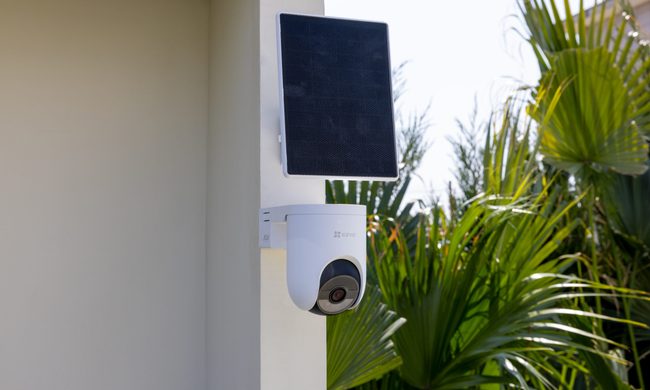
Modern smart home technology makes those situations easier to manage. Today's connected devices can do far more than record footage or send motion alerts. They can help homeowners monitor outdoor spaces around the clock, stay informed about important activity, communicate with visitors remotely, and manage entry without needing to be physically present. Instead of constantly checking in or wondering whether everything is running smoothly back home, the right setup can provide greater visibility, convenience, and peace of mind throughout the season.
EZVIZ Sets a New Benchmark for Battery Powered Home Surveillance
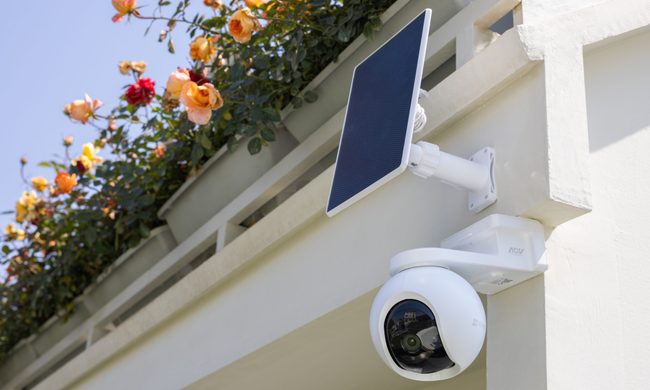
This shift has also raised expectations. Modern users want more than clear video. They expect smart detection, reliable monitoring, seamless smart home integration, and solutions that adapt to different property sizes and lifestyles. As one of the world's leading smart home camera brands, EZVIZ has responded by building one of the industry's most comprehensive portfolios of battery-powered cameras. The lineup is designed to serve every living situation, whether for renters or owners of apartments, condominiums, or villas. From accessible options for everyday monitoring to advanced multi-lens systems for larger and more demanding environments, the portfolio reflects a strong focus on innovation, user-centric design, and real-world needs.
Beatbot AquaSense X review: The pool cleaner for those that want to be pampered
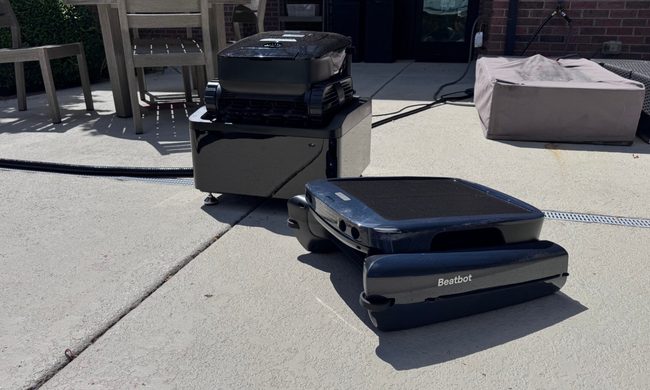
Quick take: