
“Why you can trust Digital Trends – We have a 20-year history of testing, reviewing, and rating products, services and apps to help you make a sound buying decision. Find out more about how we test and score products.“
Toshiba L2300U Series information: This review is based on our hands-on experience with the 50-inch 50L2300U TV. However, our observations also apply to the 39-inch 39L2300U. According to Toshiba, the two sets differ only in dimension and weight and offer identical features and performance.
Models in Toshiba L2300U series
As you may have noticed, 3D-capable Smart TVs are everywhere these days. Once reserved for only the highest tier models, the features have trickled down to the lower rung of several major suppliers. But with 3D content being dropped faster than a training bra at a Justin Bieber concert (most recently by the BBC and ESPN), and a litany of Internet-ready consoles and set-top boxes available on the cheap, the question of whether or not it’s even necessary to incorporate all that technology into mid-to-low tier TVs has to be asked.
Toshiba seems to have answered with its 50L2300U HDTV (L2300), a bare bones 50-inch panel with an emphasis on low pricing and high performance. At only $650, the TV certainly lives up to its first promise. But without the moonroof and the fancy spoiler, there’s only one place left to look: under the hood. Could the TV’s performance hold up under scrutiny? We recently spent some time with the L2300 to find out. Read on for the results.
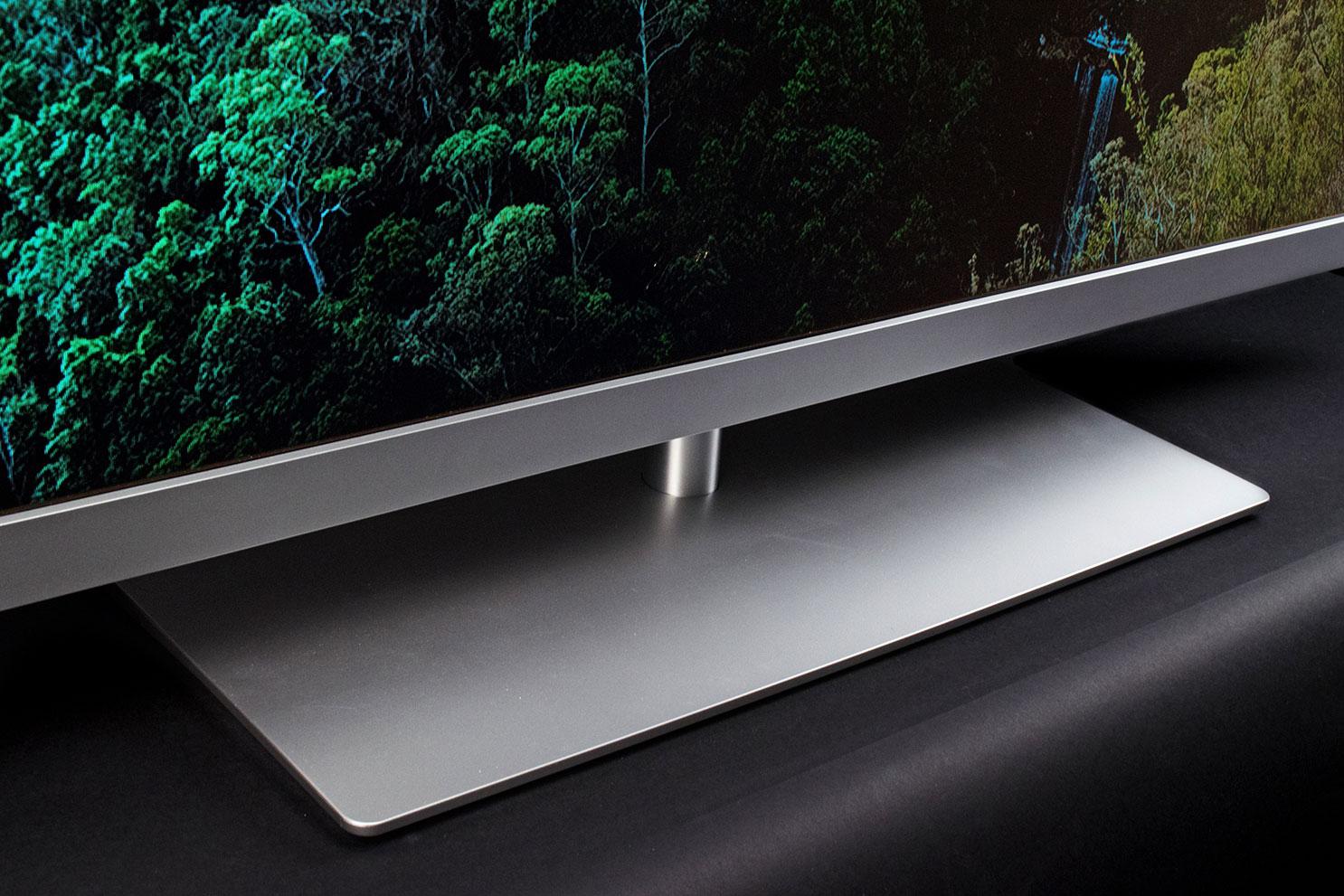
The L2300 offers some sexy curves for a budget set, and even without a laser-thin bezel, it looks good on the mantel. The front panel’s obligatory black gloss borders meet up with a sleek cut of brushed aluminum along the bottom, providing a nice accent, and a smooth transition to the silver platform-stand below. The only disturbances along the front face are a Toshiba logo at the lower left corner, and a green LED halo at the right, which looks a lot like a power button, but it’s not – trust us.
At 3.5 inches, the L2300 is a little on the thick side, likely due to its backlit array of LEDs, as opposed to thinner edge-lit designs. It’s also heavy for a newer LCD, weighing about 45 pounds with the stand attached, but it’s nothing wildly out of step with the competition. Digging through the box, we were reminded of the TV’s succinct feature set, finding only a basic remote control and a packet of instructions and promotional material.
When it comes to connectivity, the L2300 is amply loaded for its class. Tucked into the TVs recessed back panel and side bay are three HDMI ports, a component/composite hybrid connection, a coaxial cable connection, a USB media port, and even a PC input. Audio outs include both an analog RCA output, and a digital optical output.
Toshiba’s half-mute idea is clever, but when we hit the mute key we want total silence.
The TV’s lighter option selection makes setup and navigation of the menu a snap, without the confusing labyrinth of controls common with higher-tier TVs. Picture, Sound, and Options are the main categories, and getting in and out was straightforward and easy. However, while we appreciate the lack of ornamental baggage, we weren’t all that crazy about the user experience. Let’s face it, most of us spend a lot of quality time with the old boob tube, so the interface matters, and here we think Toshiba could have done better.
 First of all, we wished for more direction when it came to the menu. We’re not asking for a guided tour, like the LG LN5300’s Picture Wizard, but some sort of explanation of the features would have been nice. Control of the interface itself was also sluggish. Switching inputs and channels occasionally introduced lag, and at times the TV got confused about signal source, repeatedly flashing “No Input” in between loading screens for Blu-Rays or DVDs.
The remote was also decidedly mediocre, from the less-than-responsive IR blaster, to the awkward command-key setup. The Menu button, for instance, is a tiny dot towards the bottom of the panel, which is hard to find in the dark, and easy to mix up with the channel return button just above it. Speaking of which, channel return acts as a multi button, which backs out of menus, but also calls up your previously selected channel or input, so we ended up getting kicked out of movies more than a couple of times while trying to exit submenus. Finally, Toshiba’s half-mute idea is clever, but when we hit the mute key we want total silence. Lowering the volume half-way per keystroke doesn’t cut it when “Flo” from Progressive makes her 87th Seinfeld appearance.
The L2300 had a pretty decent picture out of the box, but there are definite improvements that can be made with some basic adjustment. There are five available picture modes, but only three are open to use with cable or broadcast TV, including Dynamic, Standard, and Movie mode. As usual, we found the best starting point in the Movie mode, making some key adjustments to Backlight, and Contrast, as well as a few touches to Color, Tint, Brightness, and Sharpness.
As for the Advanced Picture settings, we left most of them as-is, aside from Dynamic Contrast, which looked good on its defaulted Low setting for basic images, but presented a smokey halo effect around light sources during darker scenes. As always, a full list of our preferred settings can be found at the bottom of this review.
As we’ve continually stressed, the L2300 is a budget TV, and as such, it simply isn’t going to provide the performance required by cinephiles. Toshiba is aiming at those who want a large screen for a tiny sum, and to that end, the TV does offer some real bang for the buck. That said, because the L2300 leaves out many options available from similarly priced TVs in its class, the overall performance of the screen was on the hot seat. And, in our opinion, it simply didn’t deliver enough “wow” to rise above the crowd.
Poor black levels, weak shadow detail, and a lackluster interface keep us from placing it on par with our favorites from the segment.
The L2300 also did a good job with motion judder in comparison to other LCD TVs in its class, rendering fast content relatively smoothly, and showing only minimal blurring with close-up panning. Like almost all lower-tier LCDs we’ve tested, the TV had more judder than we expected from its claimed 120Hz “ClearScan” refresh rate, leaving questions about the actual native refresh rate of the panel, and what exactly determines the “ClearScan” portion of the equation. That said, we saw no overt visible evidence of frame interpolation, such as the “soap opera effect,” so whatever digital sorcery was happening behind closed doors wasn’t overly exaggerated. And subjectively, the L2300’s motion performance is on the high side for its price point.
Unfortunately, that’s where the kudos stop. The more we watched, the more we became aware of some troubling trends in the L2300’s performance. Our first issue was excessive backlight bleed during brighter content. Though it was subdued across most images, bleed was more apparent on lower lit backdrops than we expected. Watching a golf tournament over the weekend, we noticed blotches arranged in long columns across the entire fairway, sullying our HD experience and distracting our eyes as we followed the ball.
But our biggest concerns arose from the L2300’s difficulty with black levels. The screen was extremely bright when we tested the TV in a darkened room, cutting a rectangle of charcoal glare against the darkness. The Dynalight feature helped temper the brightness to a certain degree, but there was a constant glow that we couldn’t defeat. Shadow detail was also poor, in dark or well-lit rooms. We missed a lot of detail in the dim corridors of movies like The Dark Knight, and Prometheus, as images faded quickly into obscurity. The best news was that the black levels were mostly uniform, with only minimal glare spots along the right and left edges. Still, if you like dark movies, this is not the experience you’re aiming for.
We’re starting to feel like a broken record when it comes to this category, but poor audio seems to be the rule of the day when it comes to flat screen LCDs, and the L2300 was no exception. Bass was non-existent, midrange was thin, and the upper register was sharp, with a thin bite to the top of the tone. On the plus side, dialog annunciation was well-done for the most part, with clear consonants that were seldom harsh.
At $650, Toshiba’s attractive 50L2300U definitely offers some cheap HD real estate, providing accurate colors, a sharp image, and marginal motion judder across its large screen. However, with its slim feature set, we expected more from the TV’s overall performance. Poor black levels, weak shadow detail, and a lackluster interface keep us from placing it on par with our favorites from the segment, like the Vizio E0I series, which offers better performance, and a lot more features at the same price. While Toshiba’s 50L2300U isn’t a bad option, it simply didn’t bring enough heat to stand out as a top contender in this wide LCD field.
Digital Trends Picture Settings
The following settings were arrived at through a process of manual adjustment and further adjusted for preference. As indicated in our How we test televisions article, processing such as noise reduction and dynamic contrast are disabled for picture and testing purposes. They may or may not be re-engaged based on subjective preferences gained from observation during real-world performance scenarios. Though we arrived at these settings with a specific TV size, these settings can be used for any of the sizes in this TV series with consistent results.
Picture Position – greyed out
Cinema Mode – On (when applicable)
Instagram is making its way to yet another screen, and this time, Apple TV is getting a taste of the Reels rabbit hole. The company has launched a dedicated Instagram app for Apple TV, bringing Reels, longer videos, and live shows to the big screen. So, if watching one quick clip on a phone somehow turns into an hour of scrolling, there's now a much larger screen for that.
Instagram brings Reels and more to Apple TV
Audio-Technica, a brand well known for making some of the best studio and professional headphones on the market, has just come out with the ATH-AWX7000, which the company itself claims to be its "finest headphones ever." The new flagship closed-back headphone has debuted at an eye-watering price of $3,799. It combines hand-finished Japanese woodwork with a newly developed 58mm driver.
The earcups are made from Kiso cypress, a prized wood historically used for Shinto shrines and Buddhist temples. Each housing is finished by hand with traditional Echizen lacquer, which brings out the grain and is expected to darken over time. The frame and sliders are finished in a deep navy kachi-iro shade traditionally associated with samurai.
This post is brought to you in paid partnership with Best Buy.
Technology evolves every day, transforming how we live and work. Our devices are becoming more than tools we use. They are increasingly capable companions that help streamline day-to-day routines and spark creative ideas. If you have been waiting for the right moment to upgrade your tech setup, the Discover Samsung Shopping Event offers an opportunity to explore what connected, AI-powered living can look like.