
The Mobile World Congress continues to unfold in Barcelona, Spain this week, shining a lot on the various upcoming mobile products that are set to change the world and make your computing life on the go easier. The HTC Flyer tablet is a 7-incher, running on the Android 2.3 Gingerbread operating system and bolstered by the HTC Sense user interface and its many widgets. So far, so standard. Behind the times even, with the newer 3.0 Honeycomb OS being absent. There’s one thing the Flyer has, however, that no other tablet on the market currently offers: full OnLive support.
There are other features as well, but OnLive is the standout. A previously released iPad app for the cloud gaming service offers the ability to spectate other players’ games. The Flyer, on the other hand, offers the complete experience. Users can stream the service’s games directly to their tablet over a Wi-Fi connection or output the signal to a nearby television, essentially having the tablet double as an oversized OnLive MicroConsole.
The specs are nothing to cry about either, and line up with previous reports. There’s 7-inch 1024 x 600 LCD screen with front- and rear-facing cameras (1.3MP and 5MP, respectively), a 1.5GHz processor, 1GB of memory, 32GB of storage space and a microSD slot for additional storage, all wrapped up in an attractive aluminum shell. There’s also HSPA+ support for those who want to have Internet access in the absence of a convenient Wi-Fi network. Just don’t expect OnLive to run over a 3G connection.
There’s no mention of price yet, but you can check out the full details on HTC’s press release.
Related Posts
The best phones in 2026: our 14 favorite smartphones right now
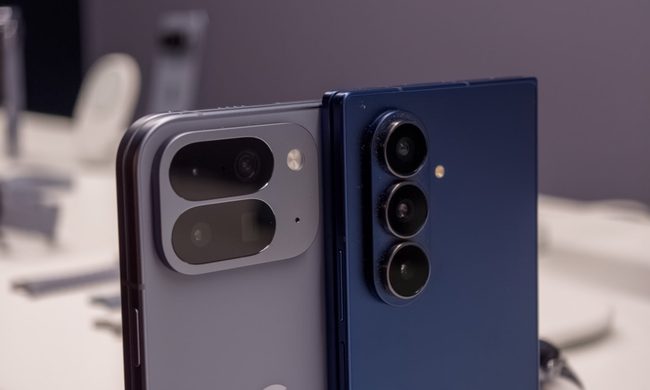
We have tested and compared the leading smartphones available today, looking beyond the spec sheet to see how they actually perform in daily use. Camera quality, battery life, performance, display quality, software, design, and long-term value all play a part in our recommendations. Whether you are looking for a powerful flagship, a dependable budget phone, a compact device, or a foldable, this guide should help narrow down your choices.
Snapchat Planets Meaning: Order, Rankings, and How Friend Solar System Works

From Mercury, which represents your closest friend, to Neptune, which represents your eighth closest, the system offers a quick visual snapshot of your interactions. But what do the different planets actually mean, and how does Snapchat decide who gets which one?
How to use WhatsApp Web

In recent years, it's grown even more potent with new features like video messages, self-destructing voice messages, the ability to edit sent messages, and more. We even finally got an WhatsApp iPad app in May 2025.