Android Canary update brings big changes, but nothing is guaranteed
|
By
Paulo Vargas Published March 20, 2026 |

Google has rolled out a fresh Android Canary build, and it looks more complete than you might expect from an experimental release. The catch is simple. This version exists to test ideas, not to promise them.
Android Canary 2603 bundles practical additions like app lock, chat bubbles, and a redesigned screen recorder. It’s available across a wide range of Pixel devices, but this update is meant for developers rather than everyday use
That context matters when reading into any of these changes. Features shown here can still be removed before a stable release, even if some eventually appear in beta builds.
Even so, this build offers a useful snapshot of where Android may be heading next.
App lock is one of the most practical additions. You can now long press an app and secure it directly, which adds a layer of privacy without digging through settings menus
That same menu also activates bubbles more fully. Conversations can float on screen as overlays, making multitasking feel more natural than before
The screen recorder has also been reworked into a floating pill interface. It lets you quickly choose between recording the full screen or a single app, then moves you into a preview flow where you can edit, delete, or share the clip
Google has even refined smaller details. The long press menu now groups shortcuts into a cleaner layout that expands only when needed.
There’s a reason none of this should be taken as final. This channel exists for developers to explore early features and APIs, not as a preview of what will ship next
That gap between polish and certainty is important. Some features already feel complete, but they can still be adjusted or dropped before Android 17 reaches stability. Even changes that move into beta are not guaranteed to stick.
There’s also a tradeoff to consider. Canary builds aren’t designed for daily use, so most people won’t try them unless they’re comfortable dealing with bugs or manual installs.
What you’re seeing here is Android in an active state of change, with ideas being tested in public before decisions are locked.
Some of the smaller changes hint at a broader direction. The return of separate Wi-Fi and mobile data toggles suggests a rethink of earlier design decisions, while heavier use of blur points to ongoing visual refinement
There’s still no clear timeline for what carries forward. Google hasn’t confirmed which of these features will land in Android 17 or when they might reach stable devices, even on supported Pixel models.
If you’re tracking Android’s evolution, the next step is to watch what shows up in beta builds. That’s usually where experimental ideas start turning into features you’ll actually use.
Related Posts
The Minimal Phone 2 looks dramatically better than the original, and I’m genuinely here for it
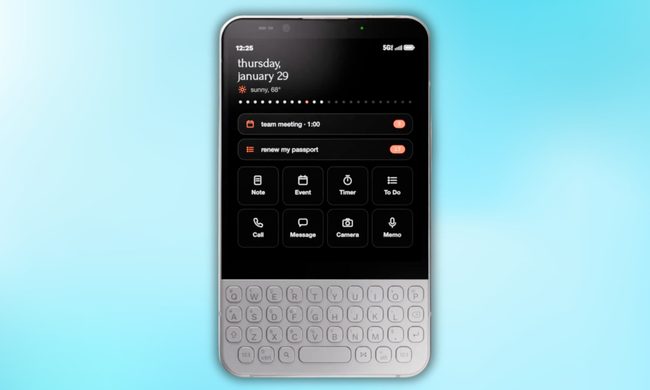
Now, founder Armen Youssefian has posted what appears to be a 360-degree render of the Minimal Phone 2 on X, and from what I can see, the team has done its homework.
The EU says TikTok still isn’t doing enough to protect kids
Why the EU thinks TikTok isn't doing enough
Qualcomm is set to ratchet up chip prices in September, and your next gadget upgrade could bear the brunt

The price hike will be in effect from September 1, 2026, a recent Bloomberg report claims. Essentially, all the companies placing their chip orders after that will pay a higher price.