
As Earth Day approaches, you may be wondering how you can help reduce your overall carbon footprint. You could use less disposable household items, get eco-friendly items instead, or drive an EV instead of a gas vehicle — there are plenty of ways to do your part.
But if you have an iPhone with iOS 16.1 or higher, you’re already contributing with a new feature Apple added called Clean Energy Charging. Here’s everything you need to know about how this eco-friendly charging option works.
The iPhone Clean Energy Charging feature is relatively new feature and was added in iOS 16.1. So as long as you have a compatible iPhone that runs iOS 16 and you’re in the U.S., you automatically have this feature. Unfortunately, it only works in the U.S. — if you’re not in the U.S., then this isn’t available, and it’s unknown if it ever will be.
Clean Energy Charging helps to reduce your carbon footprint by selectively charging when lower carbon-emission electricity is available. This works by having your iPhone get a forecast of the carbon emissions of your local energy grid when the iPhone is plugged in. With this forecast of the energy grid, it will charge the iPhone during times of “cleaner energy production.”
When we say “cleaner energy production,” it means whenever solar or wind if it’s available. If those sources are unavailable, charging will stop and resume once that clean electricity source is available again.
You can override the setting if you absolutely need to charge — a prompt shows up to inform you that charging is suspended when a clean energy source isn’t available, but the prompt has a Charge Now option to resume charging.
The Clean Energy Charging feature works in tandem with Optimized Battery Charging in order to learn your charging habits and patterns. You only get the Clean Energy Charging option where you spend most of your time, such as at home or work.
If your charging habits are variable or you travel often, then it won’t work. This makes sense, as those situations require you to get a charge as quickly as possible.
Though Apple says that Clean Energy Charging works together with Optimized Battery Charging, don’t get the two mixed up — they’re very different. Optimized Battery Charging helps extend the longevity of your iPhone’s battery by learning your charging patterns so that it can wait to finish charging past 80% until you actually need it.
If you are in the U.S. and have iOS 16.1 on your iPhone, then the Clean Energy Charging feature is enabled by default. But for optimal results, some settings are required.
Since this feature needs to learn your charging habits — like where you spend the most time and how often you charge your iPhone for longer periods of time — some location settings need to be turned on. Specifically, the settings are Location Services, System Customization, and Significant Locations.
To enable these settings:
It’s not guaranteed that the Clean Energy Charging feature will work as expected or at all if not all of those settings are turned on.
Location data is not sent to Apple or third parties, as this information is locally stored on your iPhone only.
Again, if your iPhone is on iOS 16.1 or later and you are based in the U.S., this feature is on by default. But you can turn it off at any time if you prefer.
Simply go to Settings > Battery > Battery Health & Charging > Clean Energy Charging > OFF. Once you move the toggle to off, there will be a prompt asking if you want to Turn Off Until Tomorrow or Turn Off completely — take your pick.
Once the feature is off, your phone will continue to charge even if a cleaner energy source is not available or the demand on the power grid is currently high.
Related Posts
The Minimal Phone 2 looks dramatically better than the original, and I’m genuinely here for it
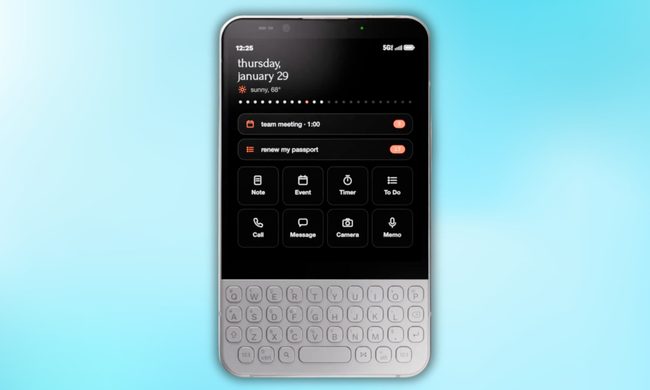
Now, founder Armen Youssefian has posted what appears to be a 360-degree render of the Minimal Phone 2 on X, and from what I can see, the team has done its homework.
The EU says TikTok still isn’t doing enough to protect kids
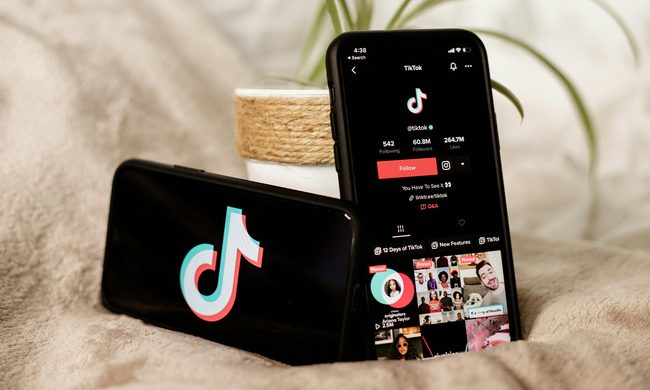
Why the EU thinks TikTok isn't doing enough
Qualcomm is set to ratchet up chip prices in September, and your next gadget upgrade could bear the brunt

The price hike will be in effect from September 1, 2026, a recent Bloomberg report claims. Essentially, all the companies placing their chip orders after that will pay a higher price.