Your Android 17 Quick Settings could get two big upgrades
|
By
Paulo Vargas Published January 14, 2026 |

Android 17 Quick Settings might finally get the kind of fix you feel every day. A new leak suggests Google is working on two changes meant to cut friction when you’re just trying to connect, adjust brightness, or toggle basics fast.
Mystic Leaks, posting on Telegram, says Google has made progress cleaning up the dual shade Quick Settings layout, including fixes for visual weirdness and functional bugs. The same post claims there’s now an optional switch to separate Wi-Fi and mobile data controls again, after years of complaints about the combined approach.
If this lands in public builds, it’s the rare Android update that improves muscle memory instead of breaking it.
The leak frames dual shade as a work in progress that’s being stabilized, not reinvented. It says Google has already tackled problems tied to how the panel looks and behaves, which suggests the company knows this area has been rough. Dual shade is a Quick Settings layout that splits notifications and system controls into separate panels, so swiping from different sides of the screen shows different menus instead of everything living in one view.
There’s also a device split. Foldables and tablets reportedly won’t be able to opt out of dual shade, even if phones get more flexibility. That matters on larger screens, where Quick Settings gets used mid-multitask, in different orientations, and often with two hands.
What’s missing is the simplest detail, timing. The post doesn’t name a specific Android 17 build, beta track, or release window.
The biggest quality-of-life claim involves network toggles. Mystic Leaks says Google has added an optional switch that separates Wi-Fi and mobile data in the Quick Settings menu.
That combined control has been frustrating because it slows down simple actions, like turning off Wi-Fi before stepping out or flipping data when a network gets flaky. When you’re troubleshooting on the fly, extra taps feel like extra time.
Still, optional can cut both ways. The leak doesn’t say whether the split view will be on by default or tucked deeper in settings, which could limit who benefits.
Taken together, these changes read like a usability tune-up. Android 17 Quick Settings may be headed toward fewer glitches, clearer controls, and more choice, at least on phones.
The next thing to watch is the earliest Android 17 previews. That’s where we’ll see whether the cleaned-up dual shade and the split network option show up for testers, or stay an internal experiment for longer.
Related Posts
The Minimal Phone 2 looks dramatically better than the original, and I’m genuinely here for it
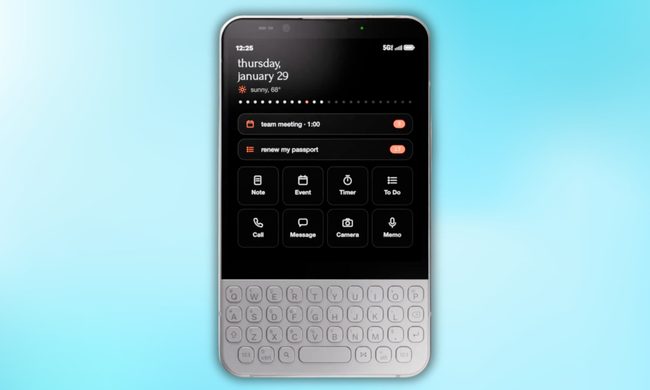
Now, founder Armen Youssefian has posted what appears to be a 360-degree render of the Minimal Phone 2 on X, and from what I can see, the team has done its homework.
The EU says TikTok still isn’t doing enough to protect kids
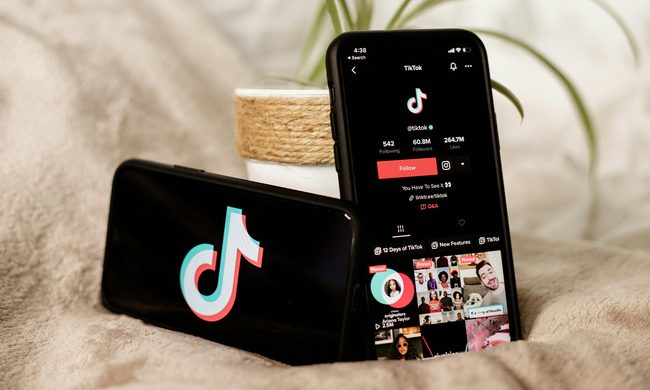
Why the EU thinks TikTok isn't doing enough
Qualcomm is set to ratchet up chip prices in September, and your next gadget upgrade could bear the brunt

The price hike will be in effect from September 1, 2026, a recent Bloomberg report claims. Essentially, all the companies placing their chip orders after that will pay a higher price.