Amazon needs to reboot Kindle by properly embracing Android
|
By
Nadeem Sarwar Published September 21, 2025 |

One of the most recurring device categories that attracts reader emails in my inbox and DMs is about Amazon’s Kindle readers. They often feature queries such as “How can I put my older books on this?” “Is XYZ format supported?” “Can I install this reader app for better features?” Those questions are neither surprising, nor alien.
We live in a world where we interact with a slab of a touch-sensitive panel in our pockets, handling everything from calls and video creation with touch-based gestures. Buttons have become a thing of the past, and every time we come across a button-less device, like the Kindle, we expect a sense of familiarity.
That isn’t the case with the Kindle. It’s pretty odd because even Google and Apple have maintained a fundamental similarity in getting things done. The design and foundations are a universe apart, but you won’t struggle to open/close apps, or switch between them when you shift from an Android device to an iPhone. Or vice versa. The Kindle isn’t playing by those rules.
Every single time I return to my Kindle readers, I have to open Amazon’s support pages to get a feel of the gestures. Those tap inputs alongside the edges and corners aren’t difficult to master, but you won’t really remember them if every other all-screen device in your life speaks a different touch interaction language.
I am not a diehard Kindle user who stares at a Kindle reader each night, so maybe it’s a bit rough out there for me. Or maybe, my brain cells are giving up on me in my ripe 20s phase. Yet, it seems Amazon is aware of the problems users face with even the basic tasks on a Kindle reader.
That’s apparently why Amazon had to rope in a seasoned tech journalist and had them write a how-to guide that explains how to “open a book,” “read a book,” and browse the library, taking them through the tap and drag touch gestures to get past the basics of an e-reader.
The situation is pretty dire. “10 things you can do on a Kindle you may not know about.” That’s the title of another article on Amazon’s website, again written by a veteran of journalism. You’d think the article would spill some secret tricks you may never expect a Kindle to accomplish.Well, let me burst the bubble. The top three items on a list of ten entries instruct users on how to check the book library, get free books on Amazon, and take a screenshot. I would hardly put such tasks in a “you may not know. guide” Those are the most basic things a Kindle is supposed to do. It’s a book reader, after all.
Gestures and core functionalities are only the beginning of the challenge you will face when you embrace a Kindle for the first time. Or gift it to any individual with a phone in their pocket. The functional challenges run deep.
Unlike an average tablet, which most likely runs Android or iPadOS, the Kindle readers boot a custom software built atop Linux, even though it draws power from the same ARM-based processors that you will find fitted inside millions of phones and tablets out there.
Take, for example, the Kindle Scribe. TechInsights’ teardown reveals a MediaTek MT8113 inside the tablet. Do keep in mind that Amazon doesn’t officially reveal what processor is fitted inside the Kindles. Regardless, the deployment of an ARM-based MediaTek chip is a sign that these devices can run Android without any architecture challenges.
Now, there are a few arguments to be made in favor of Amazon’s decision. I asked my sister, an ardent Kindle fan for years, if she’d like a more powerful silicon and Android’s flexibility on her Paperwhite. “Why would I want an octa-core chip on a device that merely has to turn pages on an ebook?” she tells me. Fair enough!
She, however, added that the software is clunky, and she often finds herself wishing for Android on a device like the Kindle. Such devices exist, and they’re not particularly niche anymore. But most importantly, they solve numerous problems that Amazon won’t address.
Take, for example, the Boox Palma and the Go 7. Both of them feature an E-Ink screen, but run full-fledged Android. The full-fledged availability of the Google Play Store is a terrific perk for more reasons than one. Plus, you don’t have to go through any technical hassles to access the Play Store. Or any other app repository, for that matter.
Let’s start with the browser. The barebones web browser you get on the Kindle is clunky at best. On the Boox devices, you can essentially run any browser of your choice. Now, Chrome is still too heavy for its modest silicon, but the likes of Firefox and Opera work fine. Take a look:
These browsers offer the flexibility of visiting websites where I can read books and comics without the browser utterly breaking things, or not loading at all, as is the case with the built-in Kindle browser. In hindsight, these browser apps solve a fundamental problem for Kindle users without Amazon having to spend time or resources.
Let’s move to apps. Amazon was definitely a trailblazer, and continues to add meaningful features to the reading interface, but it’s no longer the best or the richest in terms of meaningful features. Once again, Boox serves as a fantastic paradigm of how to serve practically rewarding features.
The Boox NeoReader app offers a built-in translation engine (with the choice to pick from Bing or Google Translate), an OCR facility, and AI-powered smart scribble and lasso select, to name a few. Additionally, it offers plenty of page formatting, scrolling behavior, navigation, and viewing adjustment tools that will let you truly personalize the reading experience.
Of course, the native support for Google Play means you can install any reading, note-taking, or web browsing app of your choice. Additionally, the open nature of the OS also means side-loaded APK files are kosher. Here’s me playing Angry Birds on the monochrome screen of the Boox slate, though it’s a totally unnecessary flex.
On the more necessary side of things, Android also lets you dabble with more content consumption forms than books. Let’s start with audiobooks. You can either stick wth web-based download and local listening, or simply pick any streaming platform of your choice, such as Spotify. And yes, “tech bro podcasts” from YouTube are totally doable.
I quite prefer the visual tranquility of a monochrome video, compared to the color noise, especially when all I seek is to learn new skills or hear a wiser man talk. For a device like the Kindle, which is ultimately all about ingesting “text-y” knowledge, a little versatility in how you acquire wisdom won’t hurt.
All of that sounds like a justifiable recipe to put Android on the Kindle. Yes, Android as the foundation would mean a higher power draw and the need for a more powerful silicon (with more memory to go with it). Yes, the humble Kindle could also get bulky, and it won’t last quite as long.
Yet, devices such as the palm-loving Boox Palma and the Go 7 prove that you can push Android on an E-Ink tablet in different sizes and still keep it compelling enough for the bibliophiles out there. The arrival of color panels on the Kindle is proof that Amazon is keen on letting users explore multimedia, or at least colorful visuals of comics and magazines.
Why not go the extra mile and turn the Kindle into a true knowledge consumption powerhouse? Or just make the chore of reading books easier and more functionally rich? Android is the answer. Imagine just how much better the Kindle Scribe would get, if it only landed Android.
It might come at the cost of a few extra dollars, but even if the Kindle re-invention in the Android image remains exclusive to the pricier models, it’s a win-win situation.
Related Posts
Motorola may have built the iPad alternative Android users have been waiting for
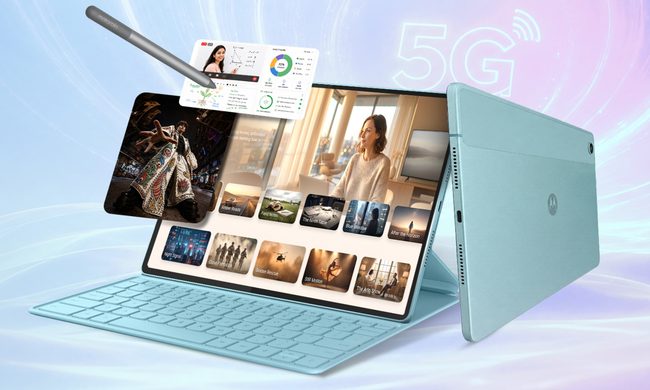
The tablet will launch in India on August 8 through Flipkart. Its 12.1-inch 2.5K display, included Moto Pen, 10,200mAh battery, and 68W charging give it several features that could appeal to people considering Apple’s base iPad. However, the mid-range Dimensity 6400 processor means it is unlikely to match the iPad in raw performance.
Qualcomm is set to ratchet up chip prices in September, and your next gadget upgrade could bear the brunt

The price hike will be in effect from September 1, 2026, a recent Bloomberg report claims. Essentially, all the companies placing their chip orders after that will pay a higher price.
Stop losing your notes and start the school year with one of these e-readers that double as notebooks
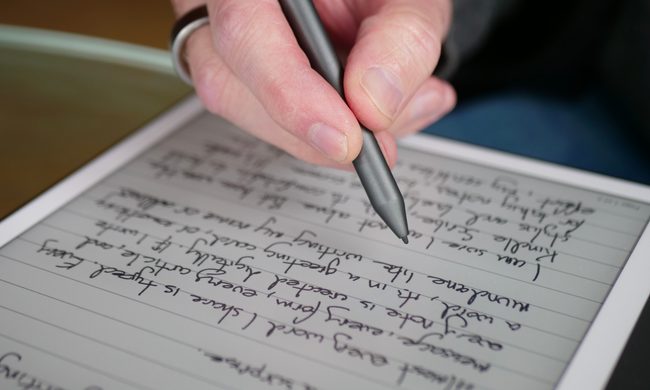
One device that you can use to read books and PDFs, take notes, and keep everything organized would fix this, and that's exactly what e-readers with pen input support are built to do. And you don't need to spend what you'd drop on textbooks for a semester to get one either. I've rounded up six worth buying this back-to-school season, and I'll tell you exactly who each one is for.