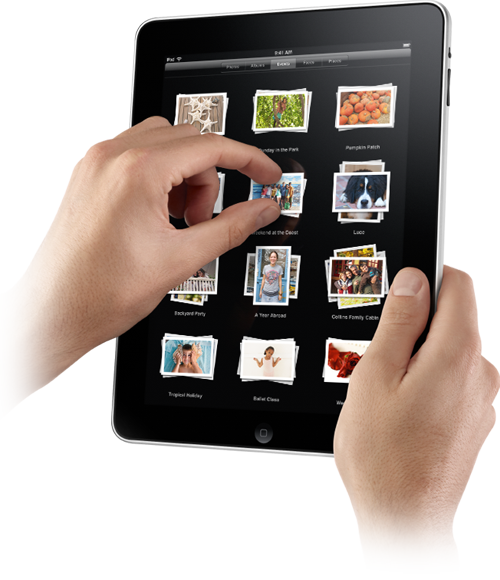
The Apple iPad is finally here and so far it’s looking pretty darn promising. The iPad features a beautiful, high-resolution LED-backlit IPS display, a responsive Multi-Touch screen and a speedy Apple-designed processor. Apple seems pretty proud of their latest creation, calling it “a whole new kind of device.” So, in case you missed out on Apple’s big announcement yesterday, here’s our grand compilation of everything you need to know about the new iPad tablet computer device.
The iPad will work with almost all of the apps designed for the iPhone and iPod touch—so if you already have apps for these devices then you can sync them to the iPad from your Mac or PC. Apple says you can run them in their original size, or expand them to fill the screen. There is also a section of the App Store that has apps specifically designed for the iPad—and Apple reassures us that there are plenty more to come. Also, Google Maps runs on the iPad just as it does with the iPhone—with a full navigation and up-to-date maps.
Check out the 5 best iPad apps
The large 9.7-inch, high-resolution screen makes iPad a great device for watching videos: from HD movies and TV shows to podcasts and music videos. The iPad also has an app for You Tube, which will organize and customize your HD videos so they’re easy to see and navigate.
iPad features & support:
iBooks works similarly to iTunes—but with books—and the new iPad actually allows some pretty cool with this app. Users can change the book’s font to suit your reading pleasure and iBooks can be used for textbooks, too. To read the book you’ve purchased, all you have to do is tap on its icon and it opens up. Tapping the right side of the page turns one page forward; a tap on the left turns one page back.
The iPad will be using 5 Book Publishers
The iPad also features the Mac’s iWork productivity applications—but completely revamped for the new tablet device, making it just as useful for business as it is for play. Featuring…
Apple is making friends and enemies in the gaming comminuty. The Apple iPad is also a great mobile gaming device, putting handheld devices at risk of extinction [not really, more on the Endangered Species list]. The App Store is currently being populated with 30,000+ hit game titles from Peggle to Space Ace and The Secret of Monkey Island: Special Edition. Also, the iPad runs nearly all of the iPhone’s 140,000 apps—and over 20% are video games. With iPad’s HD capabilities and its more advanced touch screen, Apple’s new device will surely act as a strong gaming platform and attract gaming enthusiasts.
Learn more about Gaming on Apple’s iPad
The iPad comes in two editions and three configurations: Wi-Fi enabled or Wi-Fi + 3G capable, and 16 GB, 32 GB and 64 GB. The fantastically priced $499 iPad is unfortunately the version that lacks 3G and is only 16GB—you’re a sneaky one Steve Jobs. Here are the prices and configurations from low to high:
Also, AT&T made a deal with Apple to offer unlimited 3G data on the iPad for $29.99 a month, or on a 250MB plan for half that at $14.99 a month. A release date hasn’t been announced yet, but we’re guessing sometime in March. Apple says the Wi-Fi/non-3G models will ship in 60 days and the 3G models will ship in 90 days.
Check out Digital Trends’ thoughts on What’s Missing on Apple’s iPad
Related Posts
I used an Android tablet for 4 weeks, they still lag behind iPad in a number of ways

The best Android phones remain some of the most-anticipated mobiles each year, yet historically, iPad has remained the dominant tablet force. I’ve just come off of a month of testing the OnePlus Pad Go 2, which should be a tempting iPad alternative due to its price and size (a 12-inch screen for a cost that's comparable to the base-level 10-inch iPad), but that time just reminded me how far Android lags behind iPadOS.
I found an iPad browser that finally puts a desktop-like experience on Apple’s tablet

As a result, you won’t find Safari alternatives that can really stand out. On the desktop side for Mac, there’s no such rule. As a result, you can find terrific options such as Perplexity Comet, Dia, and ChatGPT Atlas, aside from the big names such as Chrome, Edge, and Firefox.
The Kindle Scribe Colorsoft gets a splash of color with new Fig variant

Amazon has now confirmed that the "Fig" variant of the Kindle Scribe Colorsoft will go on sale on January 28. Hardware-wise, it will be identical to the Graphite model, with the only differences being the new back-panel finish and the color-matched bezel and pen.