
“Why you can trust Digital Trends – We have a 20-year history of testing, reviewing, and rating products, services and apps to help you make a sound buying decision. Find out more about how we test and score products.“
The Space Pack is our favorite mobile accessory at CES this year. It solves the iPhone’s space and battery issues in one fell swoop.
If you own an iPhone, you’ve likely had one of two things happen to you: Either you’ve run out of battery too fast, or you’ve maxed out your 16 or 32GB of space. Take a couple thousand pictures over the course of a year, add a few podcasts, a video or two, some apps, a few songs and baby, you got no space left. Stay out past 9pm and you’ve probably got a dead battery, too. Mophie’s Space Pack aims to solve both of these dilemmas.
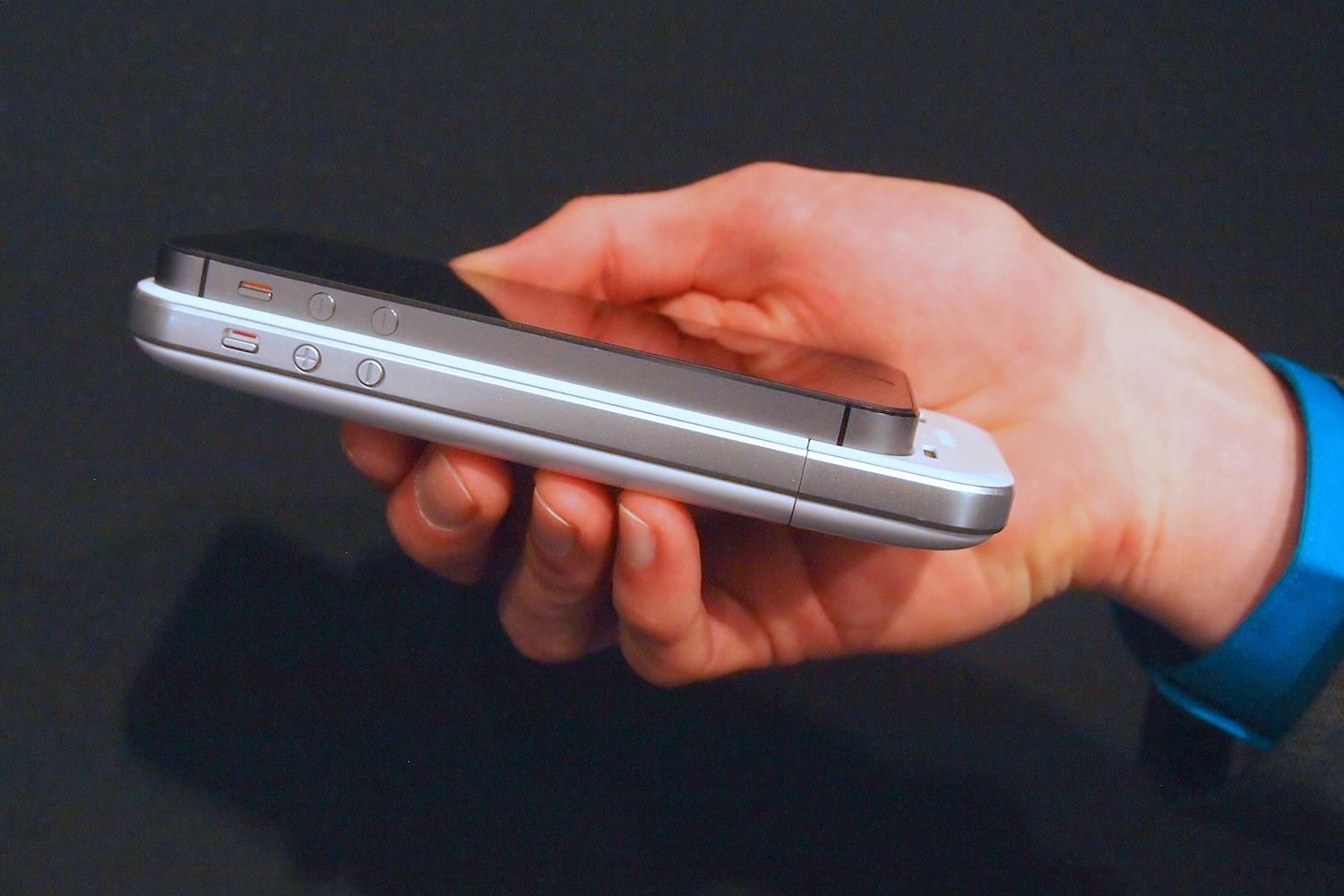
An evolution of its popular Juice Pack cases, which double the iPhone’s battery life, the Space Pack keeps the extra battery, but adds 16-32GB of extra storage space to your phone.
The Space Pack app adds a full file system to the iPhone.
If you know anything about how restrictive the iPhone is; you may be wondering how this works. It’s not as easy as it is on an Android device, where you can just insert a MicroSD card or USB storage and have it just work. Nope. Apple doesn’t allow extra storage on the iPhone. If you want more, you need to buy a new phone. Mophie has cleverly gotten around this restriction by creating its own app.
We spent some time with the new Mophie Space app, which is the heart of the new case. To access your extra Mophie storage, you have to use this app. With a clean iOS 7 design, it adds a full file system to the iPhone and lets you play music, look at pictures, watch videos, save documents, and store any other files you want.
The interface seems solid, but the best part is the app’s photo gallery area. Here, you can press one button to instantly back up every photo on your iPhone directly to the case. For those of you that don’t want to pay Apple more, but have run out of iCloud space (I’m raising my hand), this backup feature is likely worth the price of admission itself.
 The other amazing thing about this is that if you plug it into your PC or Mac, the Space Pack opens as a standard drive, meaning you can easily drag and drop files to and from it. Now it’s possible to take those pictures and back them up to your PC as well.
There are some issues, and they all come from the weird way Mophie is working around Apple’s external storage restrictions. Though you can do things like save email attachments directly to the Space Pack, you can’t use any third party email app to attach files from the case. Pictures taken through Apple’s Camera app also can’t be saved directly to the Space Pack, though it can auto sync them whenever you open its app.
To get around these restrictions, Mophie has included its own email and camera software inside its Space app. They’re designed to mimic the default Apple apps and seem to work well enough.
If you plug it into your PC or Mac, you can drag and drop files to and from it.
Another quirk is that you have to press a button on the Space Pack to turn it on when you want to use it. It auto shuts off after a few minutes of idling. It would be great if the drive would auto turn on whenever you open the Space app.
Still, odd quirks and annoyances aside, there is a lot of potential for the Space Pack if Mophie plays its cards right. It’s unlikely that Apple will reverse its stance on external storage anytime soon, but it could get support for its service baked into apps like Spotify or Pocket Casts (my favorite podcasting app), allowing them to save directly to the Space Pack.
Mophie leads the pack when it comes to battery cases, and solved a major pain point when it created the Juice Pack, which is why it has sold more than 8 million of them. It’s hard to say if 8 million more people need extra storage, but for $180 you can soon buy yourself 32GB of extra space, a protective case, and 1700mAh of extra battery life. It’s hard to argue with a case that does it all. What will the next Mophie case add? Waterproofedness? A Tazer? We can’t wait to find out.
The Space Pack will be available on March 14 and start at $150.
The OnePlus Buds Clip are a new pair of open-ear earbuds built around a simple convenience. They join Sony’s LinkBuds Clip in the growing ear-cuff category, but either OnePlus bud can go on either ear.
Sensors recognize how the earbuds are being worn and route the audio channels accordingly. There’s no label to check before putting them on, and the feature also works when only one bud is used.
We buy fitness bands and activity trackers to keep tabs on our exercise, but it is easy to forget to start tracking or switch modes when moving between different activities. For Fitbit and Pixel Watch users, that could soon become a lot less annoying, as Google is rolling out a major upgrade to automatic activity tracking that can recognize more than 100 types of exercise, up from just 10 before.
Google first showed off the improved tracking earlier this month alongside the Fitbit Edge. It is now coming to Fitbit Air and the Pixel Watch 3, 4, and 5, and Google claims the added context behind the system makes workout detection nearly twice as accurate while cutting missed activities by more than half. Fitbit Edge will support it too.