
“Why you can trust Digital Trends – We have a 20-year history of testing, reviewing, and rating products, services and apps to help you make a sound buying decision. Find out more about how we test and score products.“
Have you heard? Smartwatches are the new hot thing. They’re so hot, in fact, that Qualcomm is joining in on the fun. And if you haven’t heard of Qualcomm, either, that’s okay, but you’ve been using its products for years. A majority of all smartphones and flip phones run on Qualcomm processors. It’s the Intel of the gadget generation. Now, it’s aiming higher. With the TOQ, Qualcomm hopes to lead by example, and show everyone what a good smartwatch looks like. Sadly, though it has some good qualities, this is not the smartwatch we’ve dreamed of wearing.
Before you ever start using the TOQ, you’re going to have to do something scary: you need to cut part of the band off of your new $350 smartwatch. We avoided this for days because it just seemed wrong. Because the TOQ’s battery is on the clasp of its strap, you have to get a pair of scissors and cut the rubber strap to the circumference of your wrist. If you cut the TOQ’s band too short, you’re done: you just lost $350. But if you play it safe at all, the TOQ will feel loose and wobbly. If you have a particularly thin wrist (like I do), then none of your friends or family will ever be able to use your watch because it won’t fit. There’s no going back from the scissoring.
Like all smartwatches so far, the TOQ relies entirely on your phone to act as its master. It cannot connect to the Internet, or even keep its dates straight (in fact, you can’t even set the date) unless it’s connected to a phone via Bluetooth. We tried to connect the TOQ, but didn’t have any luck until we downloaded its accompanying Android app. Your TOQ is a useless hunk of garbage without this app. We have to admit, the app is nice. It’s easy to select watchfaces, manage notifications, change settings, and toggle interface themes. We have no complaints.
After we used the app, everything worked out fine. iPhone and Windows Phone users, you’re currently out of luck; the TOQ only has an Android app at the moment. We’ll get into the watch and app interface a little later, but first, let’s talk about how you interact with the watch.
Have you imagined a future where buttons aren’t needed and everything charges wirelessly? So has Qualcomm, apparently. The TOQ charges wirelessly (no Micro USB port) using Qualcomm’s WiPower standard and has no buttons on it at all – not even a power button. You can shut the watch off from a menu inside it, but generally it stays on at all times, thanks to its Mirasol display, which has a lot in common with a Kindle ebook reader.
I didn’t mind the TOQ, but it did make me more of a tech slave than I already am.
It was fun to read text messages, see the time, see the temperature, and know the date. On a few occasions, I scrolled through my calendar. Generally though, the TOQ’s only function was as a watch or as a wrist vibrator that told me when I got a new notification. And because I have a Moto X, both my wrist and pants pocket would vibrate, one after another.
If you’re the type of person that is addicted to looking at your wrist to know the exact time, then maybe you’re the type of person that will enjoy incessantly looking at your wrist to see what new email or notification you got. I didn’t mind the TOQ, but it did make me more of a tech slave than I already am. The big frustration is that though you can get all these notifications, there’s virtually no way to respond to any of them unless you pull out your phone. You can create pre-canned text responses in the TOQ app on your phone, but saying “Yeah” and “Gotcha” will only get a conversation so far. Because there is no microphone or keyboard on the TOQ (not that we want a keyboard), it’s impossible to input text.
I showed a number of friends the TOQ, but none of them were as impressed with the device’s Mirasol display as I was. Qualcomm has been pushing Mirasol screens for years, but they haven’t yet taken off. The number one comment I kept getting may explain why. Everyone thought it looked like a Game Boy Advance screen – as in, it had poor color and was washed out. I got this complaint because of the TOQ’s poor frontlight, which has visible bulbs bleeding from the edge and washes the already poor color of the Mirasol screen. 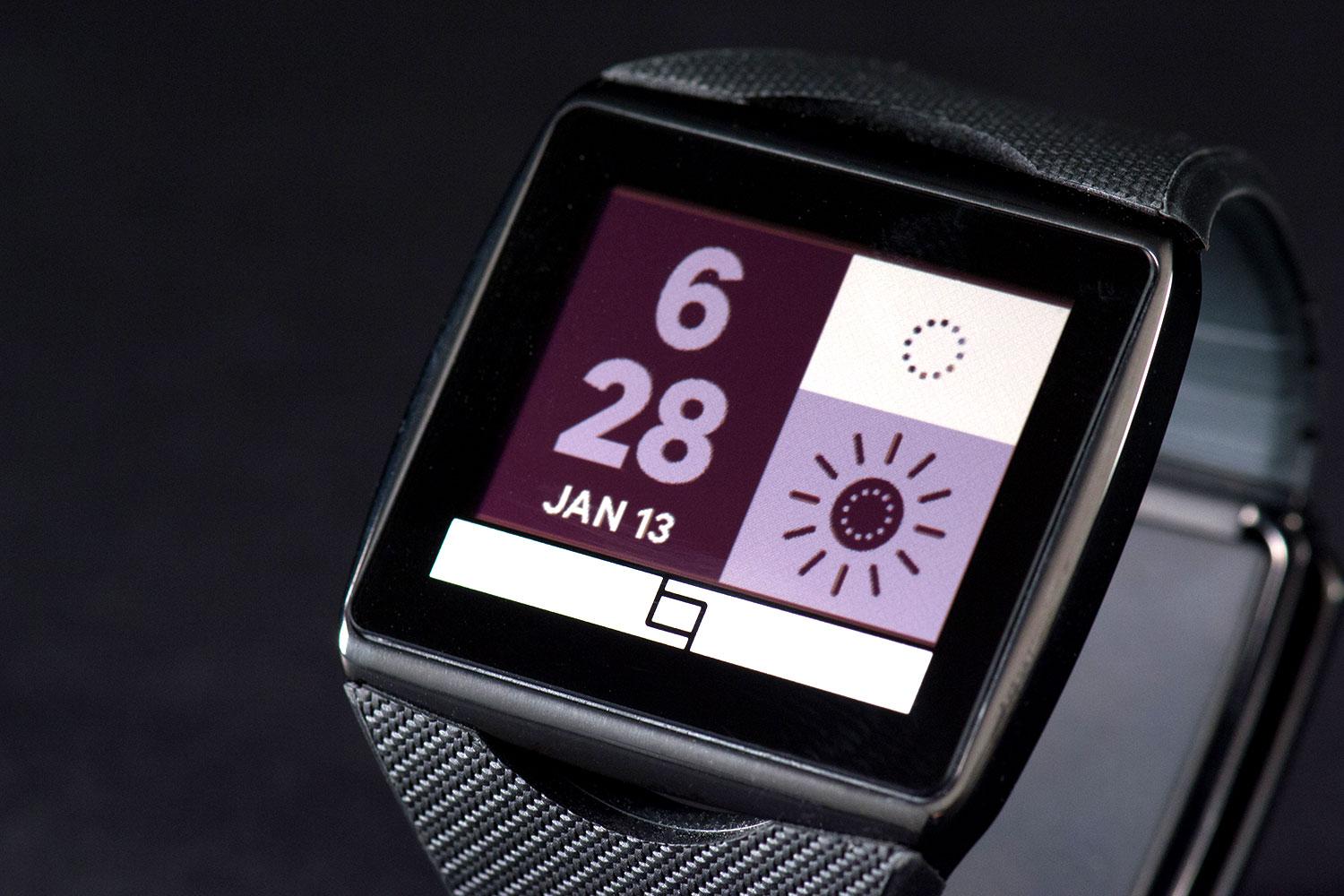 Poor front-lighting aside screen technology itself is great for a watch. It blends the great battery efficiency of an E Ink screen on a Kindle with the fast refresh rate of the LCD screen on your watch or tablet. Sadly, it doesn’t look as good as either. Everyone thought the screen looked horrible, which left me wondering if having color was worth this hassle. No one complains about the Pebble’s black and white screen, which is much more hideous than the TOQ. Then again, the Pebble costs $150 and the TOQ is $350. Still, if you set the right theme up (some just look bad) and get used to looking at a Game Boy Advance SP screen again, the TOQ doesn’t do too bad.
The TOQ’s 240mAh battery will last you a few days, but no more. We found it to drain inconsistently, losing little during the day, but dropping 30 percent some nights. Overall, you’re going to want to put it on a charger once every two days, to be safe, which means it isn’t any better than the Galaxy Gear or Sony Smartwatch 2.
Charging the TOQ is as annoying as the Galaxy Gear’s silly cradle. It doesn’t have a Micro USB port, and instead comes with a box that you must set it in. The watch is relatively sleek for a device with a 2-inch screen, but its charging box will take up plenty of room in a purse or bag. If you forget the box, you can kiss your watch goodbye. It won’t charge without it.
Qualcomm’s TOQ has a great app, looks decent (though large) once you put it on, and uses some cutting edge new technology. Sadly, it’s the most expensive smartwatch yet at $350 and mired in inconvenience. You have to use scissors to cut its wristband before wearing it; it requires a special box to charge; the battery only lasts a couple days; the touch controls take getting used to; it’s useless without your phone; and the Mirasol screen doesn’t look as impressive in real life as it does on paper. Like all these early smartwatches, the TOQ isn’t there yet. If you must, buy a Pebble, but we can’t yet recommend the TOQ.
The OnePlus Buds Clip are a new pair of open-ear earbuds built around a simple convenience. They join Sony’s LinkBuds Clip in the growing ear-cuff category, but either OnePlus bud can go on either ear.
Sensors recognize how the earbuds are being worn and route the audio channels accordingly. There’s no label to check before putting them on, and the feature also works when only one bud is used.
We buy fitness bands and activity trackers to keep tabs on our exercise, but it is easy to forget to start tracking or switch modes when moving between different activities. For Fitbit and Pixel Watch users, that could soon become a lot less annoying, as Google is rolling out a major upgrade to automatic activity tracking that can recognize more than 100 types of exercise, up from just 10 before.
Google first showed off the improved tracking earlier this month alongside the Fitbit Edge. It is now coming to Fitbit Air and the Pixel Watch 3, 4, and 5, and Google claims the added context behind the system makes workout detection nearly twice as accurate while cutting missed activities by more than half. Fitbit Edge will support it too.